Overview of Punchh API Postman Collections
Getting Started
PAR Punchh maintains a set of publicly available API collections on the Postman website. The PAR Tech APIs (Official) master workspace contains a set of curated Punchh API collections, with an associated environment, that you can fork (clone) to your own Postman workspace. This enables you to run the various Punchh API calls in your Postman client.
IMPORTANT: The Punchh API Postman collections are a work in progress and are subject to change at any time. Not all Punchh API endpoints are represented in the collections.
Prerequisites
-
You must be signed in to your postman.com user account to fork the Punchh API collections/environments and run the API calls. If you do not have a Postman user account, you can sign up for a free account at postman.com.
-
To run the Postman collections, you will need to request API keys from your Punchh representative.
High-level Steps
1. Access a Punchh API collection and view the documentation
3. Run the API calls in the collection
Accessing the Punchh API Collections and Viewing Documentation
Click the following Run in Postman buttons to open each Punchh API collection in the PAR Tech APIs (Official) master workspace. Each Punchh API collection contains documentation about how to use the collection. You can find documentation at the root level of the collection or by selecting various folders within the collection.
Note: Each Run in Postman button below takes you to the collection, but you cannot run the collection in your own Postman workspace until you fork the collection.
| PAR Advanced Authentication |  |
| PAR Punchh Mobile | |
| PAR Punchh Online Ordering | |
| PAR Punchh Platform Functions | |
| PAR Punchh POS | |
| PAR Punchh Wallet | |
Forking the Punchh API Collections
For each Punchh API collection in the PAR Tech APIs (Official) master workspace that you want to use, you must fork the collection to your own Postman workspace. You must also fork the environment associated with the Punchh API collections.
Note: When forking from the PAR Tech APIs (Official) master workspace, you can watch the original collections to receive notifications when the master workspace is updated. When the master workspace is updated, you can pull the changes down to update the forks in your workspace.
1. On the Postman website, go to the PAR Tech APIs (Official) master workspace.
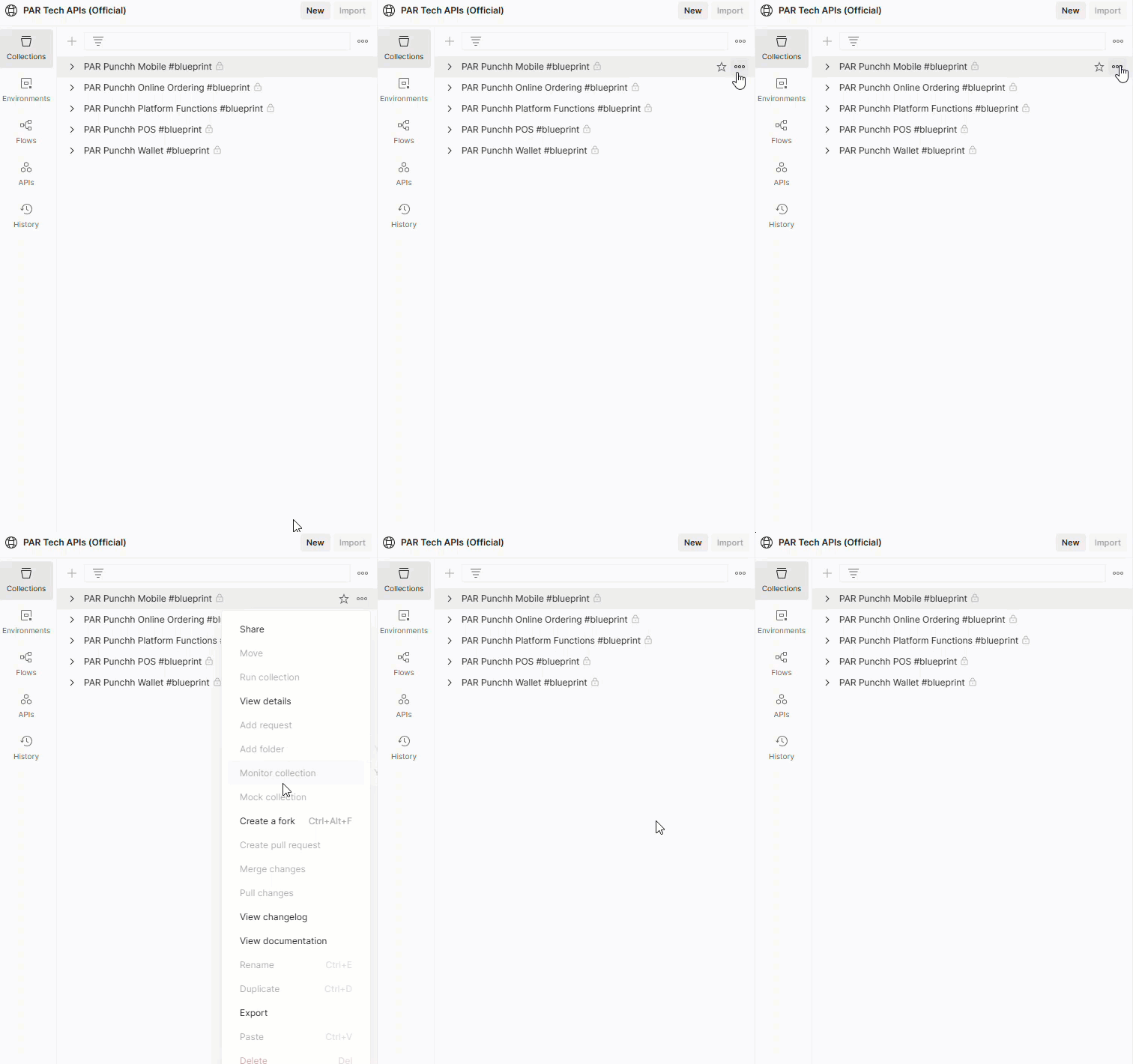
2. Select the collection that you want to fork, click ... and then choose Create a fork from the drop-down menu.
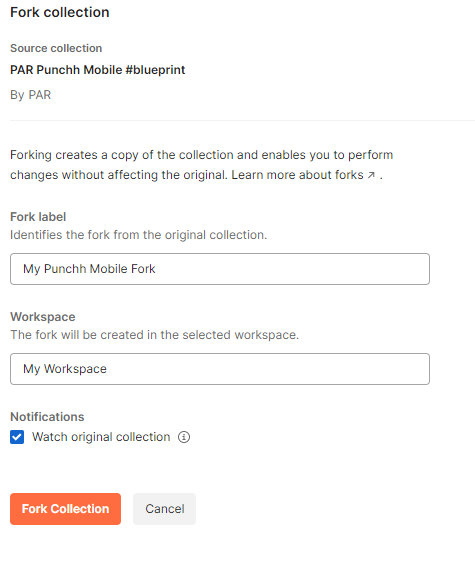
3. Name (label) the fork and choose your workspace where the fork will be created. If you want to be notified when the collection is updated in the master workspace, make sure that the Watch original collection option is enabled. Click the Fork Collection button.
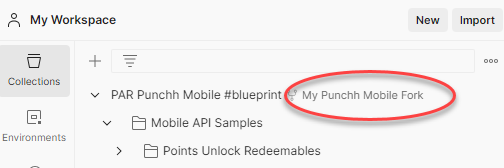
The fork is created in the workspace that you selected.
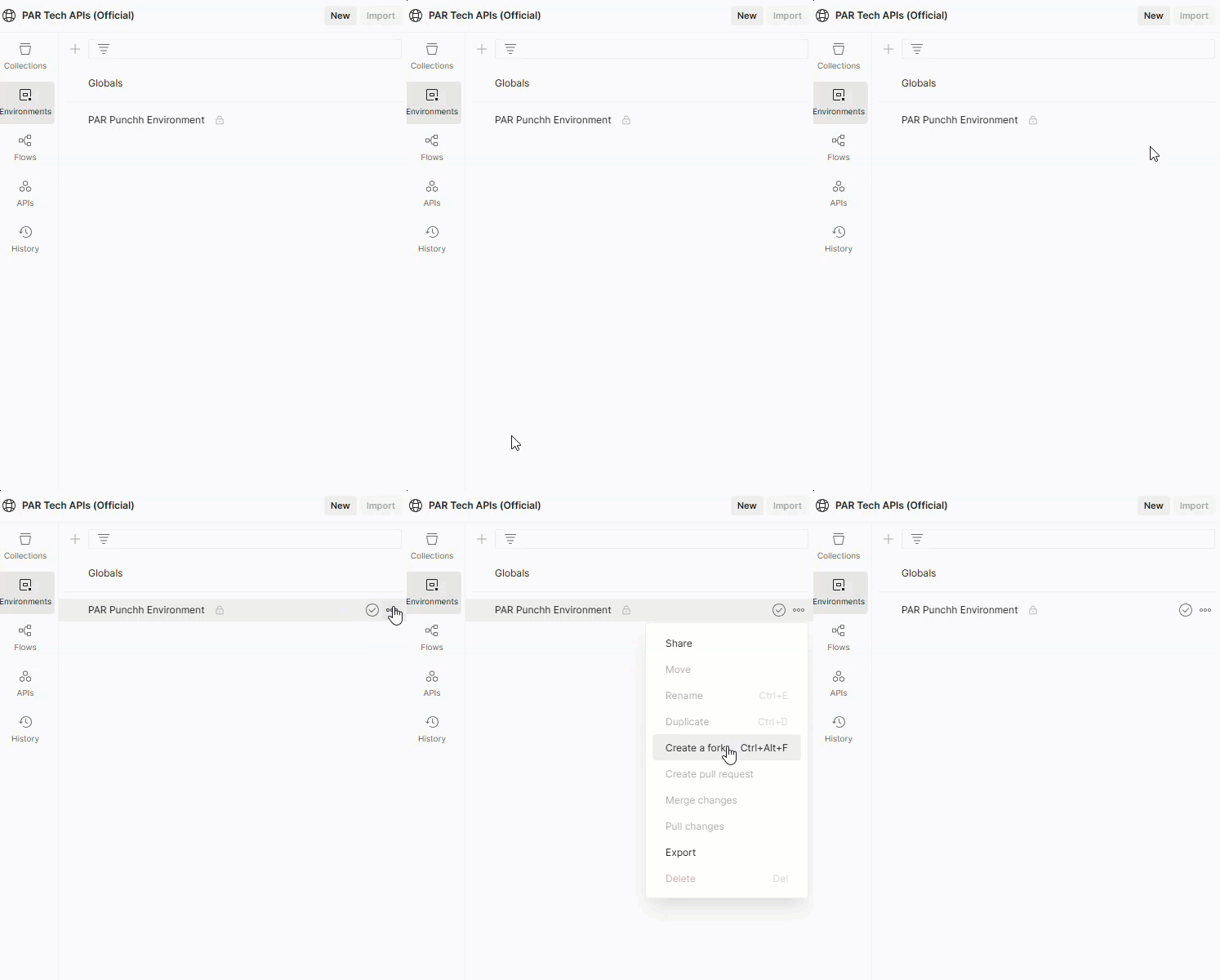
4. Select the PAR Punchh Environment, click ... and then choose Create a fork from the drop-down menu.
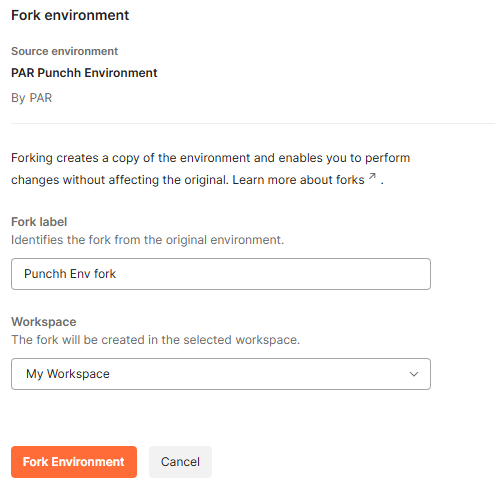
5. Name (label) the fork and choose your workspace where the fork will be created. Click the Fork Environment button.
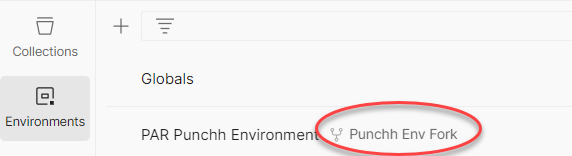
The fork is created in the workspace that you selected.
Running API Calls in a Punchh API Collection
1. In your Postman client workspace, select the forked Punchh API collection that you want to use.
2. Make sure that the PAR Punchh Environment is selected as the active environment.
3. Fill in the Current value field as applicable for each environment variable.
4. In the collection, select the applicable API endpoint(s) that you want to run.
5. Click the Send button to run the API call(s).