Configuration
Enable Punchh Event Webhook Framework for the Business
Webhooks management will need to be enabled for your business in the Punchh platform. Contact your Punchh representative to update this Punchh platform configuration.
Configure Webhooks for the Business
See the Configure Webhooks section in the Webhooks article on the Support Portal to configure Webhooks for the business.
Webhook Security and Best Practices
1. The webhook URL must be HTTPS supported, and a time-bound request maximum time allowed is 15 seconds.
2. Choose any one of the authentication methods instead of none. Currently available authentication methods are listed in the following table.
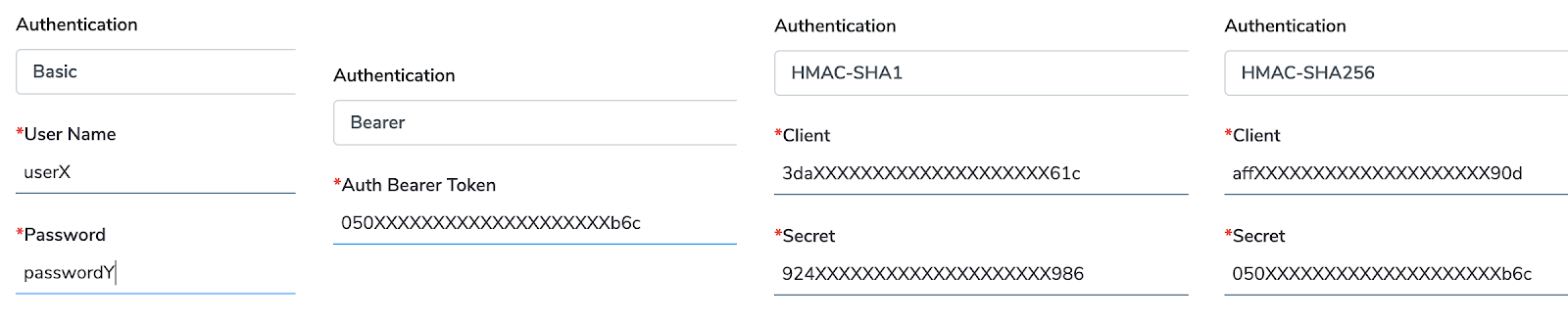
| Auth | Header Key | Header Value |
|---|---|---|
| Basic | authorization | basic base64([USER_NAME_GOES_HERE]+ “:” + [PASSWORD_GOES_HERE]) |
| Bearer | authorization | bearer [BEARER_TOKEN_GOES_HERE] |
| HMAC-SHA1 | authorization x-pch-key |
hmac sha1(<URI+BODY>, [SECRET_GOES_HERE]) [CLIENT_GOES_HERE] |
| HMAC-SHA256 | authorization x-pch-key |
hmac sha256(<URI+BODY>, [SECRET_GOES_HERE]) [CLIENT_GOES_HERE] |
x-pch-key: [CLIENT_GOES_HERE] is available as header, and [CLIENT_GOES_HERE] is configured with a combination of secret to identify the source. If the requested system does not have a client, then prefer to fill just the client name as a snake case.
3. The webhook URL will be used for event data by the HTTP POST method with the selected authentication method on the Authorization header.
4. The following method is used to verify and activate a webhook, as well as for health check purposes, which will happen periodically once a day or every 6 hours.
URL with HTTPS GET method will be called to authenticate the endpoint.
5. In case of any suspension or deactivation triggered due to failed responses, Punchh will notify the admin associated with that webhook configured under the base URL section.