Updating Custom Profile Fields With the Punchh Platform API
Custom profile fields allow a business or brand to customize user sign-up and the overall experience. You can use the Punchh API to update the values of custom profile fields for a user. Before using the API to populate custom profile fields:
-
The custom profile fields option must be enabled in the Punchh platform. Contact your Punchh representative to update this Punchh platform configuration.
-
An admin user must set up the custom profile fields in the Punchh platform under Guests > Profile Field Settings.
Once the custom profile fields have been set up in the Punchh platform, you can use the Update a User API to update the values of existing custom profile fields for a specific user. When updating custom profile fields with this API, ensure the following:
-
In the API request, include the
profile_field_answersparameter within the user object. -
Sending the
profile_field_answersparameter in the API request will overwrite any existing values, so when updating one custom profile field, if you need to keep any other profile fields the same, they also need to be included in the request. -
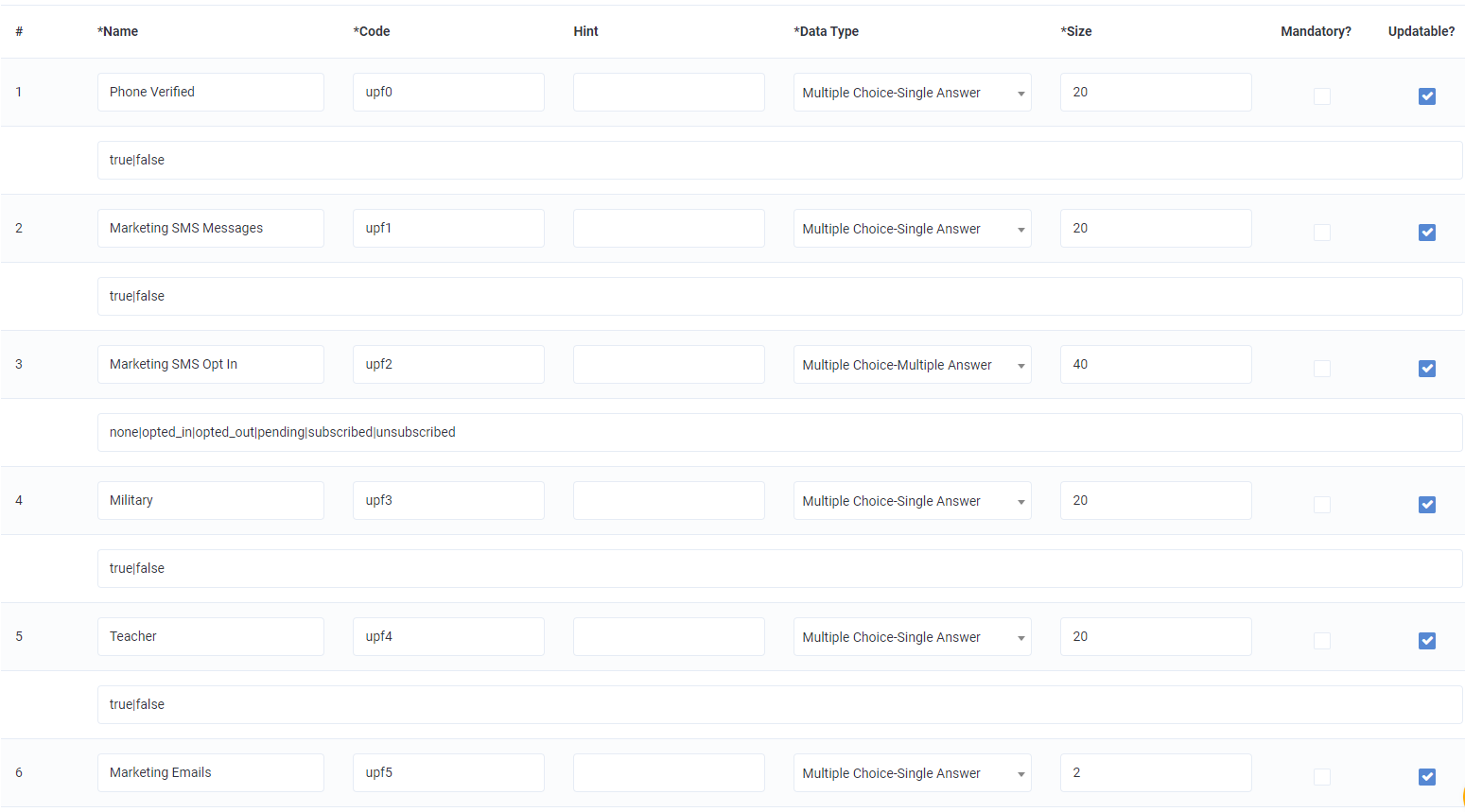
When updating the value of a custom profile field, refer to the custom profile fields configured in the Punchh platform under Guests > Profile Field Settings. With the Punchh API, you can only update each field based on its original placement on this page. Each field is referred to by
upf[ID], ranging from upf0 - upf24 for a maximum of 25 possible custom profile fields. The following image shows how these fields are configured in the Punchh platform. Field #1 corresponds toupf0, field #2 corresponds toupf1, etc.
In the request of the Update a User API, you must specify the new value for each upf[ID] that you want to update as well as the current value for each upf[ID] that you do not want to update.
{
  "id": 12345678,
  "email": "test@example.com",
  "user": {
      "profile_field_answers": {
        "upf0": "value_goes_here",
        "upf1": "value_goes_here",
        "upf2": "value_goes_here"
    }
  }
}
For any custom profile fields with multiple answers, separate each answer with a pipe. For example:blue|red|pink
{
  "id": 12345678,
  "email": "test@example.com",
  "user": {
      "profile_field_answers": {
        "upf0": "true",
        "upf1": "false",
        "upf2": "opted_in|subscribed"
    }
  }
}
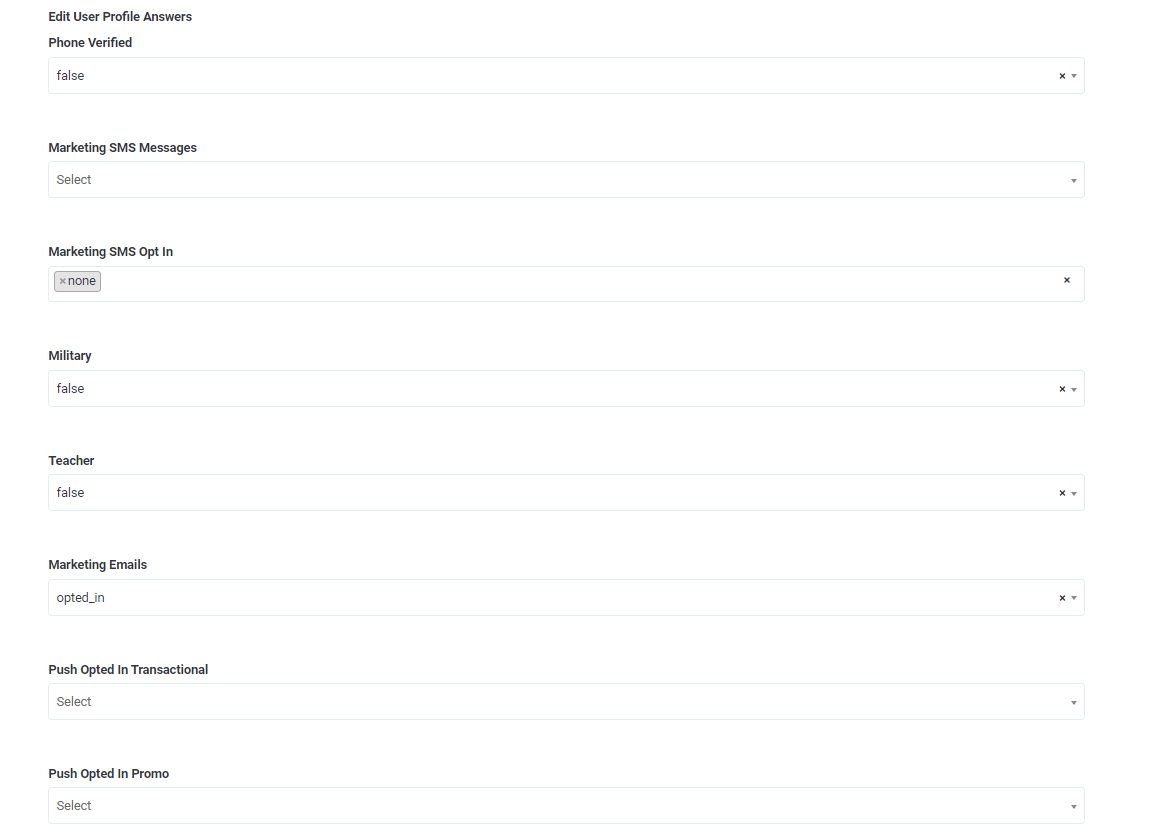
Once the profile field values have been updated, you can see the new values in the user's guest profile in the Punchh platform under Guests > All Guest Profiles > Edit Profile > Edit User Profile Answers, as shown in the following image.