Store Payment Method
This guide is going to show you how to develop a flow that allows your customers to store a payment method to their account.
| Stored Payment Methods Screen | Payment Method Selection Screen | Payment Processor Web App in WebView |
|---|---|---|
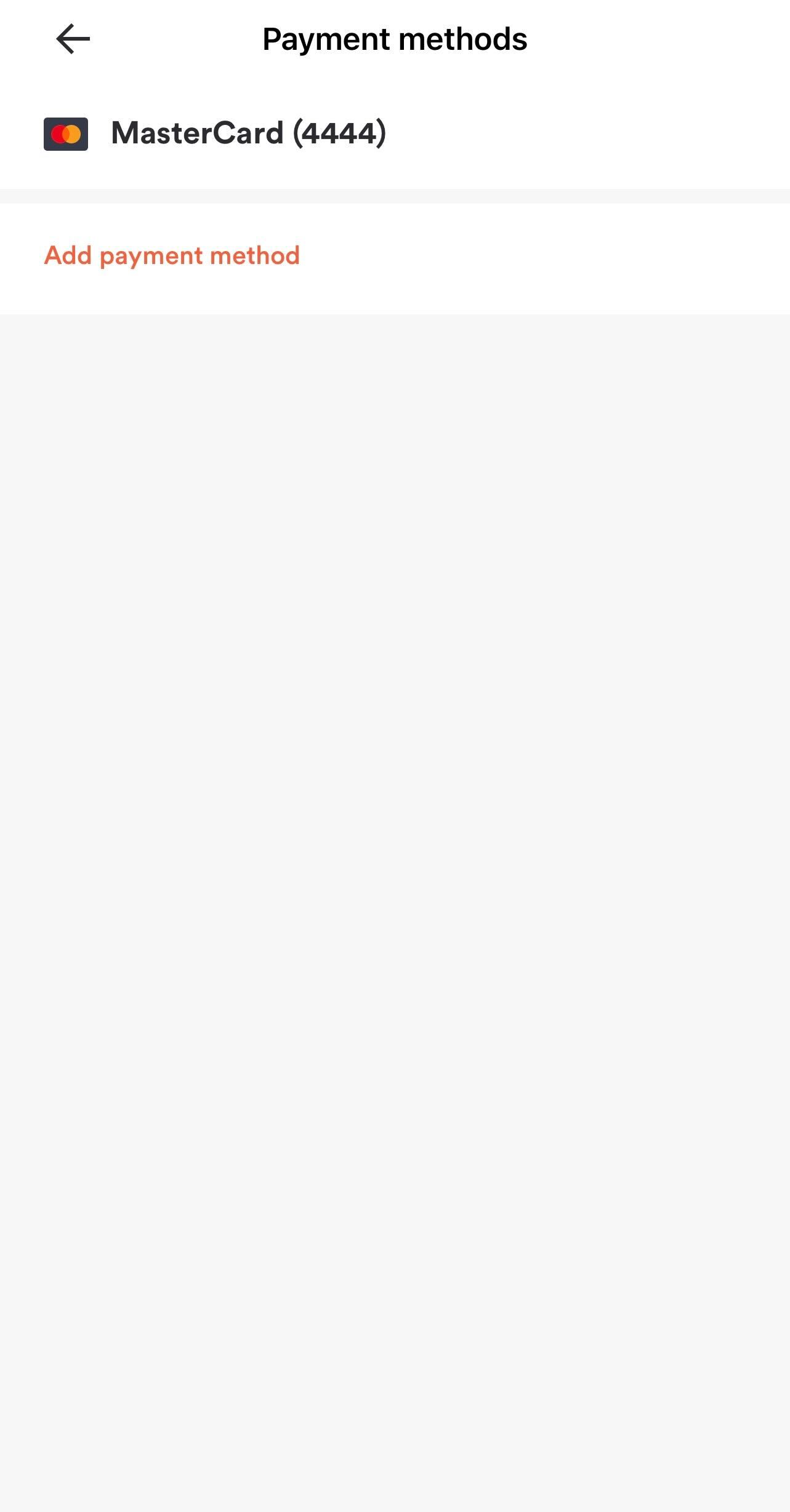 |
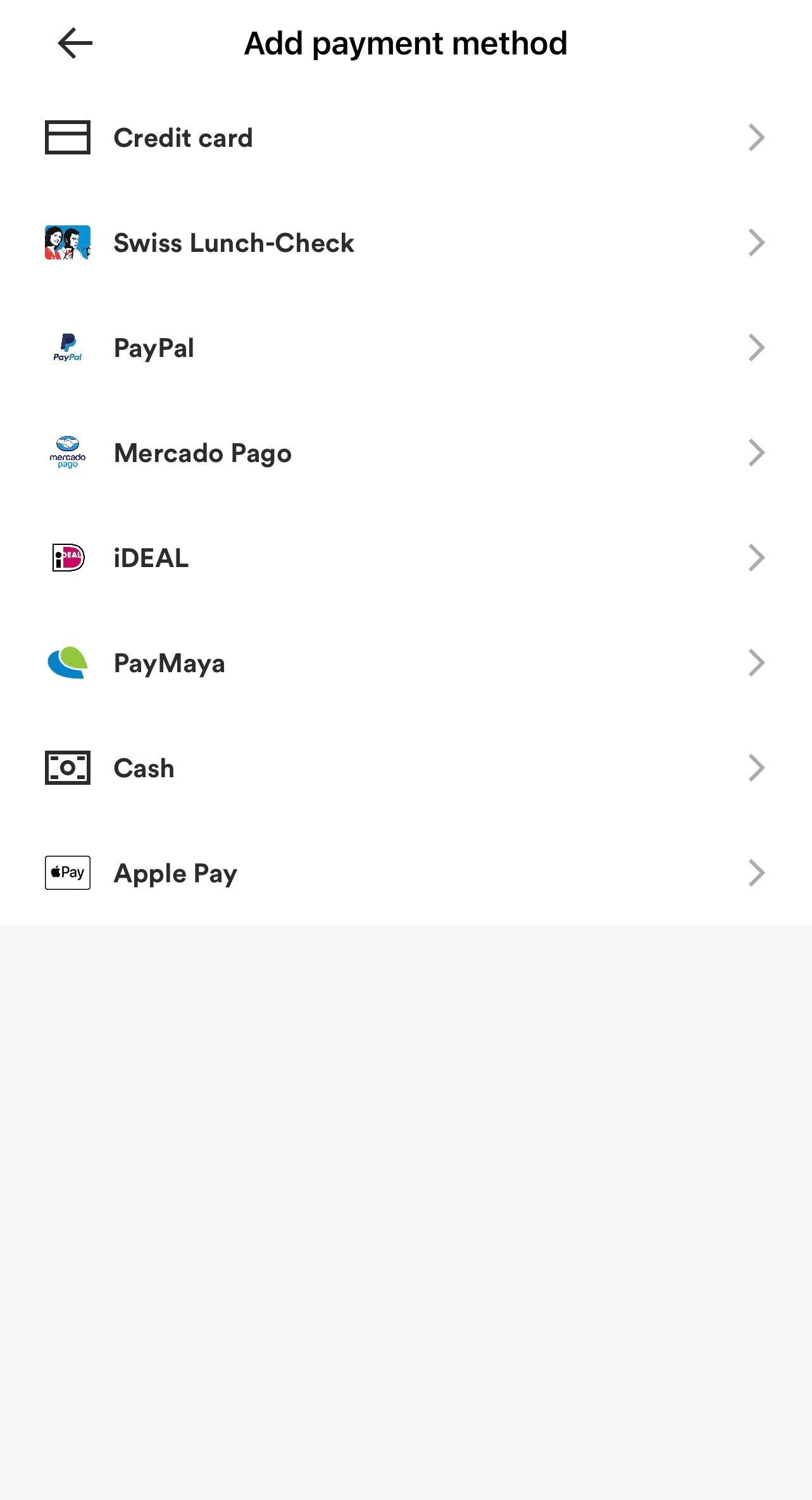 |
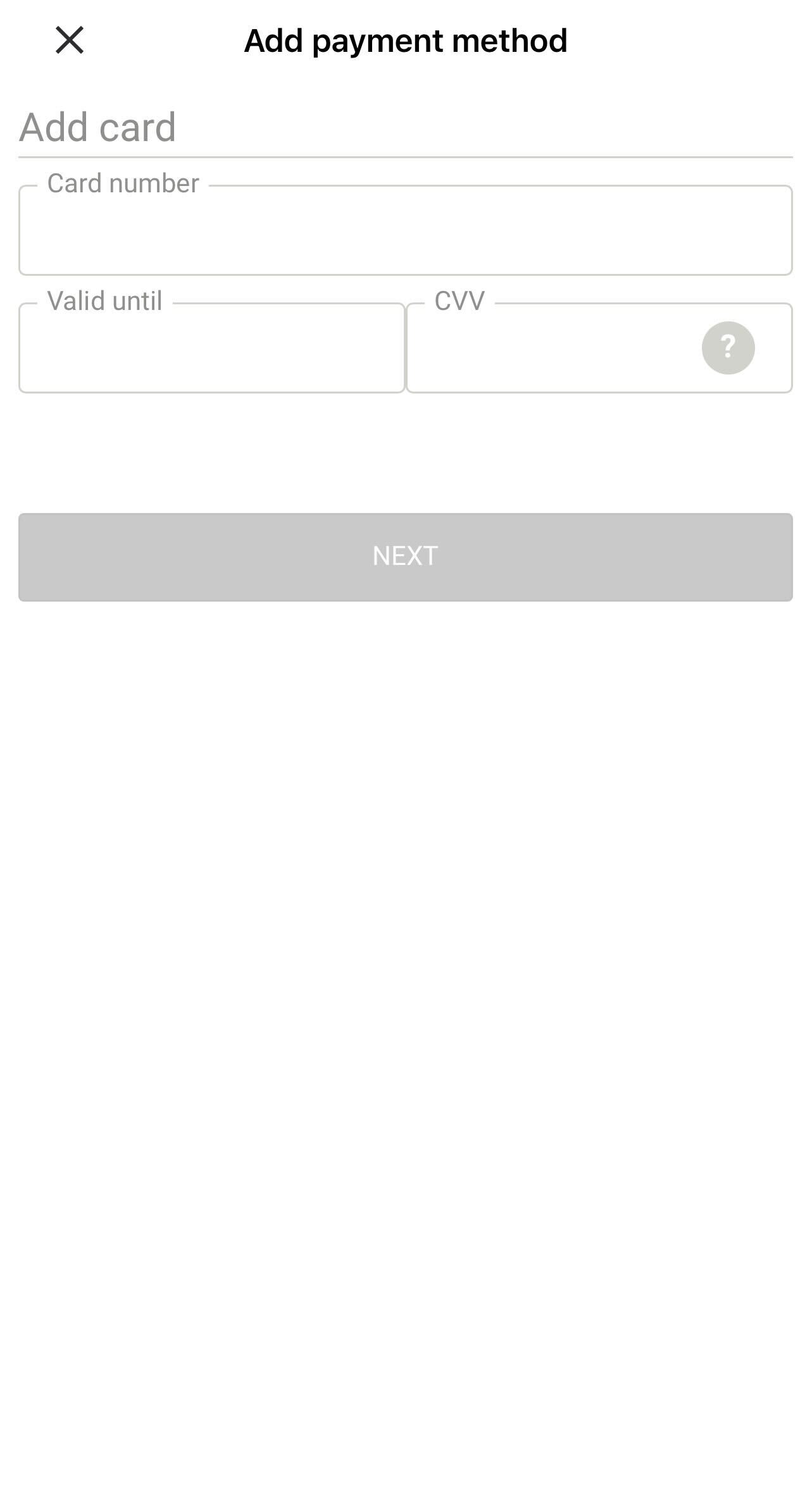 |
Only credit cards and gift cards can be stored as a payment method to a customer account - other payment methods have flows that are initiated during checkout and require user interaction (e.g. Apple Pay / Google Pay where the user confirms their payment method when making the payment), and as such cannot be saved to a customer account.
Generate Tokens / URLs
Depending on the payment processor, you can either collect card details yourself and post them to the payment processor directly, or use a web-app provided by the payment processor (embeddable in WebView or iFrame) to collect them.
Beware of PCI Compliance when posting card details directly to a payment processor
If your web application natively accepts full credit card PANs, or your infrastructure in any way touches full credit card PANs, you are subject to higher PCI compliance standards. Make sure you are familiar with PCI certification levels before proceeding - PAR Ordering takes no responsibility for PCI compliance of integrators.
Do not under any circumstances post full credit card PANs to the PAR Ordering APIs - full PANs are always to be posted directly to the payment processor, passed through the payment processor's SDK or entered into the payment processor web app.
For Gift Cards, PCI compliance requirements do not apply.
In order to receive tokens or URLs needed to store a payment method, make a call to /payment-processors/generate-tokens:
Request
| Attribute | Type | Example Value | Description |
|---|---|---|---|
Authorization HTTP header |
string | "Bearer {customer_account_token}" |
JWT Token of Customer Account |
{
  "method": "post",
  "url": "https://api-public-demo.menu.app/api/payment-processors/generate-tokens",
  "headers": {
    "X-Request-ID": "69da3547-204b-4093-a225-54e084c24215",
    "Application": "f3a90488ffee32c3acb6fcd0ca417cf6",
    "Api-Version": "4.78.0",
    "Content-Type": "application/json",
    "Authorization": "Bearer eyJ0eXAiOiJKV1QiLCJhbGciOiJIUzI1NiJ9.eyJpc3MiOiJodHRwczovL2FwaS1wdWJsaWMtcGxheWdyb3VuZC5tZW51LmFwcC9hcGkvY3VzdG9tZXJzL3JlZnJlc2giLCJpYXQiOjE2OTEzMzA4NjUsImV4cCI6MTY5MTM3MjA1OCwibmJmIjoxNjkxMzY4NDU4LCJqdGkiOiJJT2IwQ0VteFNiZ21vTXlSIiwic2V0UmVmcmVzaFRUTCI6MjYyODAwMCwic3ViIjoiNTA5MDYzNyIsInBydiI6ImNjMzI5MjFhMTU0ODBhMTE3ZDliYmM3MmMwZTEyNTZhNjg1MjQ1OGIiLCJhcHBsaWNhdGlvbl9pZCI6MjAxNSwic2Vzc2lvbl9pZCI6MjY2MjF9.Y5zJQgx4j4fHrNebQoAn3bGtr_iHa6DSKfNjQfkvjvg"
  }
}
Response
{
    "status": "OK",
    "code": 200,
    "data": {
        "tokens": [
            {
                "payment_processor_id": "5bab16ce-bb27-4e62-aff4-124266647eaf",
                "payment_processor_type_id": 32,
                "token": "bc31e770-bbca-47bf-884b-27e2563a9033",
                "actions": [
                    {
                        "type": "redirect",
                        "url": "http://ordering-api.menu:8084/api/payment-processors/init_token?mt_application_id=629dd551-821f-4d81-ad3d-c6c777e848e5&mt_payment_processor_id=5bab16ce-bb27-4e62-aff4-124266647eaf&tokenType=1&template=card&isPayment=0&successUrl=http%3A%2F%2Fordering-api.menu%3A8084%2Fapi%2Fpayment-processors%2Fsuccess%3Fmt_application_id%3D629dd551-821f-4d81-ad3d-c6c777e848e5%26_menu_oapi%3Dtrue%26_menu_reqid%3Da29daa5e-ccc0-4e96-aae7-8d889c108497&failUrl=http%3A%2F%2Fordering-api.menu%3A8084%2Fapi%2Fpayment-processors%2Ffail%3Fmt_application_id%3D629dd551-821f-4d81-ad3d-c6c777e848e5%26_menu_oapi%3Dtrue%26_menu_reqid%3Daf70d6ae-549d-4837-9307-c14f44c1757e&sessionId=309300423218747336940000100085&iframeUrl=https%3A%2F%2Fuatps48.aurusepay.com%2Fstoreservices%2Fecom%2Fgetiframe%3Fa%3D0369D4D7f1e9b6fe33a826efb184f6ecb618ef26582c0e1230febc98c8b2c6e3313e5e58ea96b27ca545ba2eada315a4ca74e7f296c8986242a2c547cf990b49d5ae6d86233913cca6b2d885a38243a50f27bcda84b3a44c2f5130551ef807137824dfca88cb7941d75c5818f2d926920539727e8581f67510d7c3625e3c27e1b2d796c789baf937b78cad120644c0a3d584b306e786b4821841b0a93dcc69c42290f9662d86ab452e2e09e0c7d66c51ab5333ca915df03d8a991e90cb0be695fc40859d99db4a7d03d656a0d1307847fdfda4aa2ccde314b0caca7a29f7ab0695dd5e8321e58309b85840708ec2e1d90f7515c801b9e609c6395decb1044765e2937cb2dd4fefc978f537833f263eb90120d14de5763b1279b2f20407ccd11c369095428675e3fd8364c82798f99446036e21c4b48b62f04eabdbd2ae7e9668348edf4ef0102af87ab8d15e67060cfbd8bc0147fb68a535fee9c70f65bf2001e30735d0e0dc700cea4ca00c8a552714c949b4ad558033c6b22dfff9e4b64f4894a133a5&_menu_oapi=true&_menu_reqid=c7869274-668b-489e-903e-c5802a859b67"
                    }
                ]
            },
            {
                "payment_processor_id": "47490e87-ff1a-4cbf-93f3-c9aabbc9b7ca",
                "payment_processor_type_id": 35,
                "bin_ranges": [
                    {
                        "range": {
                            "to": "7500",
                            "from": "7000"
                        },
                        "refundable": false,
                        "pin_required": false,
                        "rechargeable": true
                    },
                    {
                        "range": {
                            "to": "4999",
                            "from": "4000"
                        },
                        "refundable": false,
                        "pin_required": true,
                        "rechargeable": false
                    }
                ]
            }
        ]
    }
}
| Attribute | Type | Example Value | Description |
|---|---|---|---|
tokens |
array[Tokens] | Array of Tokens for different payment processors - if multiple payment processors are configured, you will have to follow the action of every payment processor, in order to successfully store the payment method | |
tokens.[i].payment_processor_id |
string | "5bab16ce-bb27-4e62-aff4-124266647eaf" |
Payment Processor UUID |
tokens.[i].payment_processor_type_id |
id | 32 |
Type ID of Payment Processor - see Payment Processors & Payment Methods reference |
tokens.[i].actions.[i].type |
string | "redirect" |
Type of Action that should be taken, in order to store the payment method for that payment processor. Differs between payment processors. |
tokens.[i].actions.[i].url |
string | "http://ordering-api.menu:8084/api/payment-processors/init_token" |
URL of payment processor web-app to collect payment method details |
tokens.[i].bin_ranges |
array[bin_range] | Array of BIN ranges (set in CMS) that can have different properties and requirements. If any gift card numbers that fall into any of the returned BIN ranges have "tokens.[i].bin_ranges.[i].pin_required" set to "true" the user must be prompted to enter the PIN. | |
tokens.[i].bin_ranges.[i].range |
object | BIN range object containing from and to values. If BIN ranges overlap, and any of them have pin_required set to true the user must be prompted for PIN entry. |
|
tokens.[i].bin_ranges.[i].range.from |
string | "4000" |
The lower limit is 3 digits, there is no upper limit. (configurable in CMS) |
tokens.[i].bin_ranges.[i].range.to |
string | "4999" |
The lower limit is 3 digits, there is no upper limit. (configurable in CMS) |
tokens.[i].bin_ranges.[i].refundable |
bool | false |
Whether a transaction can get refunded back to a gift card |
tokens.[i].bin_ranges.[i].pin_required |
bool | true |
Whether a PIN is required in order to charge the gift card. If this attribute is true, you should collect a PIN from the user and send it as part of the /customers/{customer_account_id}/stored-payment-methods request. The PIN is numeric with no specified length requirement. |
tokens.[i].bin_ranges.[i].rechargeable |
bool | false |
Whether gift card is rechargeable |
Gift Cards
When registering a Gift Card, you have to ensure that the gift card number provided by the customer falls into the range of one of the BIN ranges (at least first 3 digits) returned.
Additionally, in case the pin_required attribute is true for the identified BIN range, you need to prompt the customer to provide a PIN and send it as part of the /customers/{customer_account_id}/stored-payment-methods request.
For gift cards, gift card numbers can be posted directly to the PAR Ordering APIs and do not have to be posted to the payment processor directly / entered on a payment processor web app, since gift cards do not fall under PCI regulations.
Interact with Payment Processor to store Payment Method
Follow specific guides depending on the Payment Processor you are looking to integrate:
- PAR Pay
- Coming soon: Freedompay
Store Payment Method
After the interaction with the Payment Processor has successfully been completed, you can make a call to /customers/{customer_account_id}/stored-payment-methods to store the payment method:
Retrieve Stored Payment Methods
When venue information is retrieved via [/api/venues/{venue_id}?view=withNestedEntities] the response contains which payment methods are supported by the Venue.
Credit Cards
Request
| Attribute | Type | Example Value | Description |
|---|---|---|---|
Authorization HTTP header |
string | "Bearer {customer_account_token}" |
JWT Token of Customer Account |
payment_method_id |
id | 1 |
ID of Payment Method you are trying to register - always 1 Credit Card - see Payment Processors & Payment Methods for more info |
payment_processors |
array[PaymentProcessor] | Array of payment processor results for tokenization - if multiple card payment processors are configured for the Brand, multiple results need to be returned | |
payment_processors.[i].id |
string | "5bab16ce-bb27-4e62-aff4-124266647eaf" |
UUID of Payment Processor - from /payment-processors/generate-tokens API call |
payment_processors.[i].properties.token |
string | "bc31e770-bbca-47bf-884b-27e2563a9033" |
Token from from /payment-processors/generate-tokens API call |
payment_processors.[i].properties.one_time_token |
string | "9034u23904932049239" |
One-time-token / nonce provided by the payment processor in the registration flow (only applies to certain payment processor integrations, such as PAR Pay) |
{
  "method": "post",
  "url": "https://api-public-demo.menu.app/api/customer-accounts/{customer_account_uuid}/stored-payment-methods",
  "headers": {
    "X-Request-ID": "69da3547-204b-4093-a225-54e084c24215",
    "Application": "f3a90488ffee32c3acb6fcd0ca417cf6",
    "Api-Version": "4.78.0",
    "Content-Type": "application/json",
    "Authorization": "Bearer eyJ0eXAiOiJKV1QiLCJhbGciOiJIUzI1NiJ9.eyJpc3MiOiJodHRwczovL2FwaS1wdWJsaWMtcGxheWdyb3VuZC5tZW51LmFwcC9hcGkvY3VzdG9tZXJzL3JlZnJlc2giLCJpYXQiOjE2OTEzMzA4NjUsImV4cCI6MTY5MTM3MjA1OCwibmJmIjoxNjkxMzY4NDU4LCJqdGkiOiJJT2IwQ0VteFNiZ21vTXlSIiwic2V0UmVmcmVzaFRUTCI6MjYyODAwMCwic3ViIjoiNTA5MDYzNyIsInBydiI6ImNjMzI5MjFhMTU0ODBhMTE3ZDliYmM3MmMwZTEyNTZhNjg1MjQ1OGIiLCJhcHBsaWNhdGlvbl9pZCI6MjAxNSwic2Vzc2lvbl9pZCI6MjY2MjF9.Y5zJQgx4j4fHrNebQoAn3bGtr_iHa6DSKfNjQfkvjvg"
  },
  "body": {
    "payment_method_id" : 1,
    "payment_processors":  [
        {
          "id": "5bab16ce-bb27-4e62-aff4-124266647eaf",
          "properties": {
            "one_time_token": "9034u23904932049239",
            "token": "bc31e770-bbca-47bf-884b-27e2563a9033"
          }
        }
      ]
    }
}
Response
{
  "code": 200,
  "data": {
    "stored_payment_methods": [
      {
        "id": "85688223-b4ee-4c0f-8593-513c182ef7b1",
        "properties": {
          "card_type": "visa",
          "masked_number": "901010******0004",
          "expiration_date": "12/2024",
          "last_four_digits": "0004"
        },
        "preselected": true,
        "payment_method_id": "027b59de-97cb-48a0-9404-37f426659bad"
      }
    ]
  },
  "status": "OK"
}
| Attribute | Type | Example Value | Description |
|---|---|---|---|
stored_payment_methods |
array[StoredPaymentMethods] | Array of Stored Payment Methods that belong to the customer account | |
stored_payment_methods.[i].id |
string | "85688223-b4ee-4c0f-8593-513c182ef7b1" |
ID of the stored payment method - will be used to initialize payment |
stored_payment_methods.[i].properties.card_type |
string | "visa" |
String ID for Card Type |
stored_payment_methods.[i].properties.masked_number |
string | "901010******0004" |
First 6 digits and last 4 digits of credit card number (PAN) - some payment processors may only return last 4 digits |
stored_payment_methods.[i].properties.expiration_date |
string | "12/2024" |
Month / Year in which credit card will expire |
stored_payment_methods.[i].properties.last_four_digits |
string | "0004" |
Last 4 digits of credit card number (PAN) |
stored_payment_methods.[i].preselected |
bool | true |
Defines which payment method should be pre-selected for the customer on checkout - based on last-touched (last-used) payment method for the customer |
stored_payment_methods.[i].payment_method_id |
string | "027b59de-97cb-48a0-9404-37f426659bad" |
UUID of a registered payment method |
Available card types:
- Visa
- MasterCard
- AmericanExpress
- Diners
- Maestro
- JCB
- RedCompra
- Carnet
- PaystackVerve
- Discover
- GiftCards
Gift Cards
Request
| Attribute | Type | Example Value | Description |
|---|---|---|---|
Authorization HTTP header |
string | "Bearer {customer_account_token}" |
JWT Token of Customer Account |
payment_method_id |
string | "9b7d1577-0d3f-4839-a01c-6230419bfc35" |
UUID of the gift card payment method (type 14). Take it from the methods on the processor whose type is 35 in /payment-processors/generate-tokens. See Payment Processors & Payment Methods. |
payment_processors |
array[PaymentProcessor] | Array of payment processor results for tokenization - if multiple card payment processors are configured for the Brand, multiple results need to be returned | |
payment_processors.properties.gift_card_number |
string | "7321950000010535899" |
Gift card number provided by the customer (needs to fall into returned BIN ranges returned in /payment-processors/generate-tokens API response) |
payment_processors.properties.gift_card_code |
string | "123" |
Gift card PIN code, in case pin_required was true for the identified BIN range returned in the /payment-processors/generate-tokens API response |
{
  "method": "post",
  "url": "https://api-public-demo.menu.app/api/customer-accounts/{customer_account_uuid}/stored-payment-methods",
  "headers": {
    "X-Request-ID": "69da3547-204b-4093-a225-54e084c24215",
    "Application": "f3a90488ffee32c3acb6fcd0ca417cf6",
    "Api-Version": "4.78.0",
    "Content-Type": "application/json",
    "Authorization": "Bearer eyJ0eXAiOiJKV1QiLCJhbGciOiJIUzI1NiJ9.eyJpc3MiOiJodHRwczovL2FwaS1wdWJsaWMtcGxheWdyb3VuZC5tZW51LmFwcC9hcGkvY3VzdG9tZXJzL3JlZnJlc2giLCJpYXQiOjE2OTEzMzA4NjUsImV4cCI6MTY5MTM3MjA1OCwibmJmIjoxNjkxMzY4NDU4LCJqdGkiOiJJT2IwQ0VteFNiZ21vTXlSIiwic2V0UmVmcmVzaFRUTCI6MjYyODAwMCwic3ViIjoiNTA5MDYzNyIsInBydiI6ImNjMzI5MjFhMTU0ODBhMTE3ZDliYmM3MmMwZTEyNTZhNjg1MjQ1OGIiLCJhcHBsaWNhdGlvbl9pZCI6MjAxNSwic2Vzc2lvbl9pZCI6MjY2MjF9.Y5zJQgx4j4fHrNebQoAn3bGtr_iHa6DSKfNjQfkvjvg"
  },
  "body": {
    "payment_method_id": "9b7d1577-0d3f-4839-a01c-6230419bfc35",
    "payment_processors":  [
        {
          "id": "47490e87-ff1a-4cbf-93f3-c9aabbc9b7ca",
          "properties": {
            "gift_card_number": "7321950000010535899",
            "gift_card_code": "123"
          }
        }
      ]
    }
}
Response
{
  "status": "OK",
  "code": 200,
  "data": {
    "stored_payment_methods": [
      {
        "id": "5bab16ce-bb27-4e62-aff4-124266647eaf",
        "payment_method_id": 32,
        "preselected": true,
        "properties": {
          "card_type": "GiftCard",
          "masked_number": "XXXXXXXXXXXXXXXX8999",
          "expiration_date": null,
          "last_four_digits": "8999"
        }
      }
    ]
  }
}
| Attribute | Type | Example Value | Description |
|---|---|---|---|
stored_payment_methods |
array[StoredPaymentMethods] | Array of Stored Payment Methods that belong to the customer account | |
stored_payment_methods.[i].id |
string | "85688223-b4ee-4c0f-8593-513c182ef7b1" |
ID of the stored payment method - will be used to initialize payment |
stored_payment_methods.[i].properties.card_type |
string | "GiftCard" |
String ID for Card Type |
stored_payment_methods.[i].properties.masked_number |
string | "901010******0004" |
First 6 digits and last 4 digits of gift card number - some payment processors may only return last 4 digits |
stored_payment_methods.[i].properties.last_four_digits |
string | "0004" |
Last 4 digits of gift card number |
stored_payment_methods.[i].preselected |
bool | true |
Defines which payment method should be pre-selected for the customer on checkout - based on last-touched (last-used) payment method for the customer |