Typical Credit Card Payment Flow
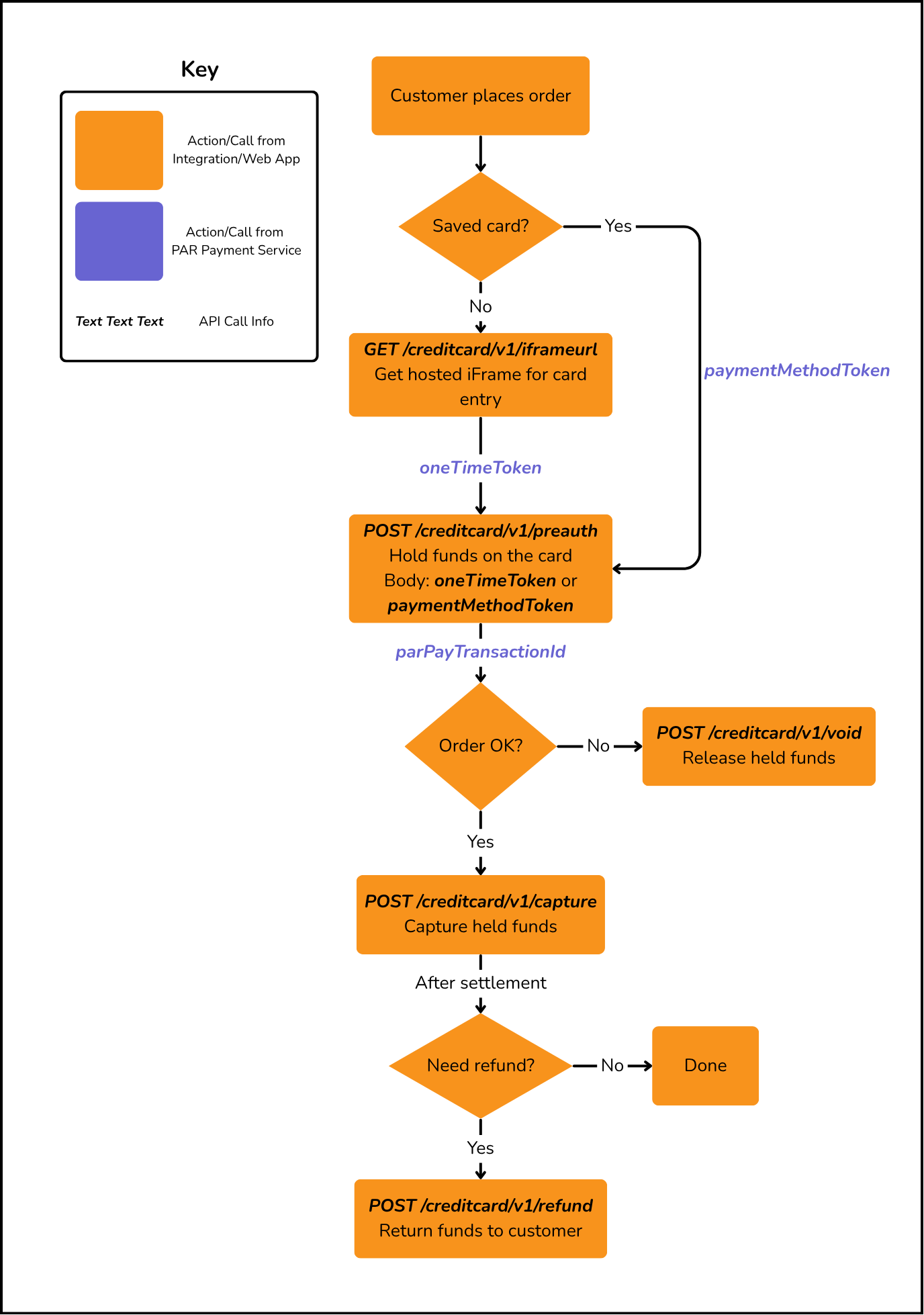
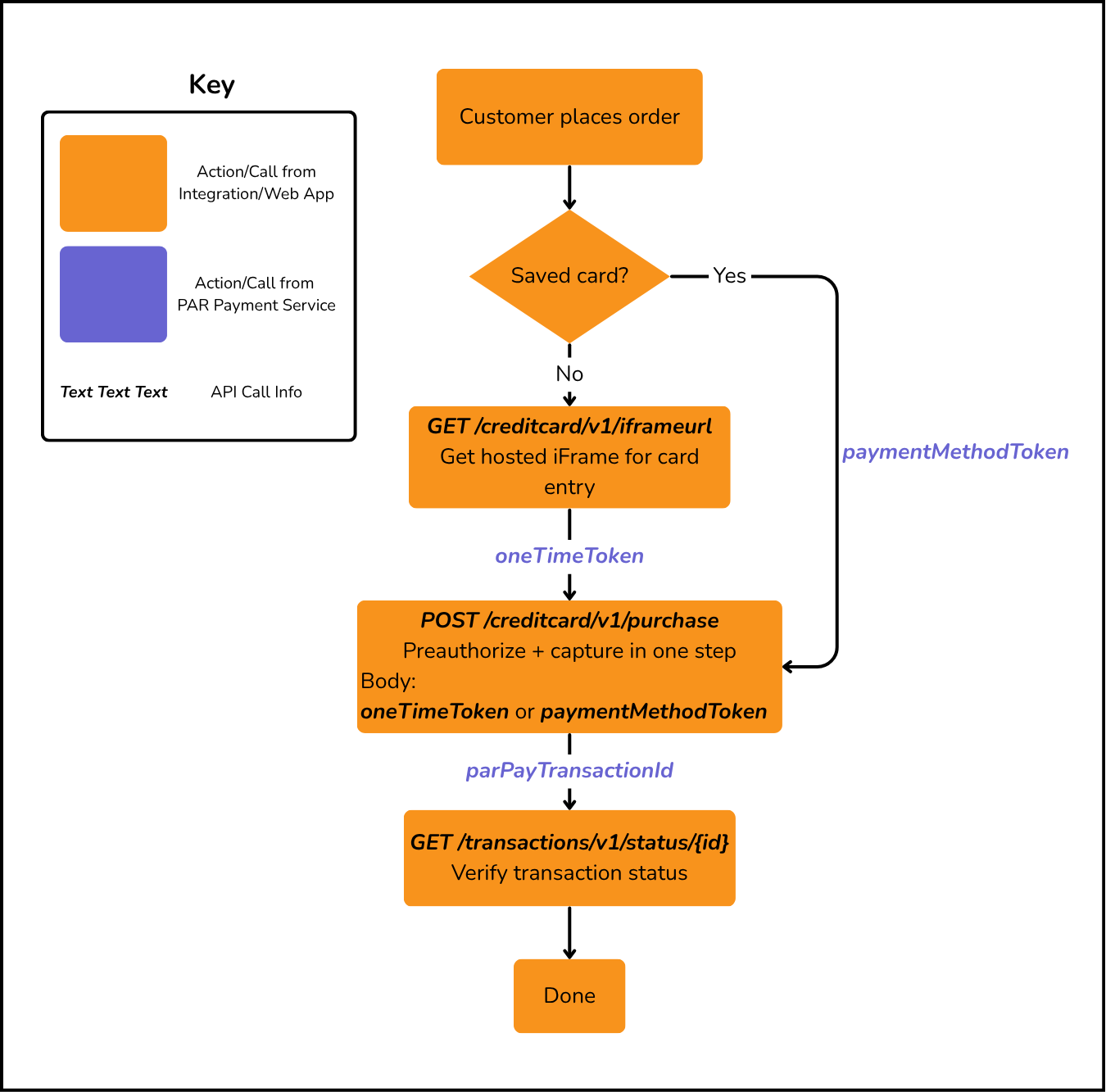
The credit card payment flow supports two approaches: a two-step Preauthorize + Capture flow for scenarios where you need to hold funds before finalizing (e.g., tab-based or fulfillment-dependent orders), and a single-step Purchase flow for immediate transactions. Both flows support Void to cancel before settlement and Refund to return funds after settlement. Use GET /creditcard/v1/iframeurl to obtain a hosted iFrame URL for secure card data entry before initiating a transaction.
- Preauthorize — Hold funds on the card (
POST /creditcard/v1/preauth) - Capture — Complete the payment by capturing held funds (
POST /creditcard/v1/capture) - Void (if needed) — Cancel the preauthorization before settlement (
POST /creditcard/v1/void) - Refund (if needed) — Return funds after settlement (
POST /creditcard/v1/refund)
Alternatively, use Purchase (POST /creditcard/v1/purchase) to preauthorize and capture in a single step.
Credit Card (Auth + Capture)
Credit Card (Single-Step Purchase)
Saving a Credit Card for Future Use
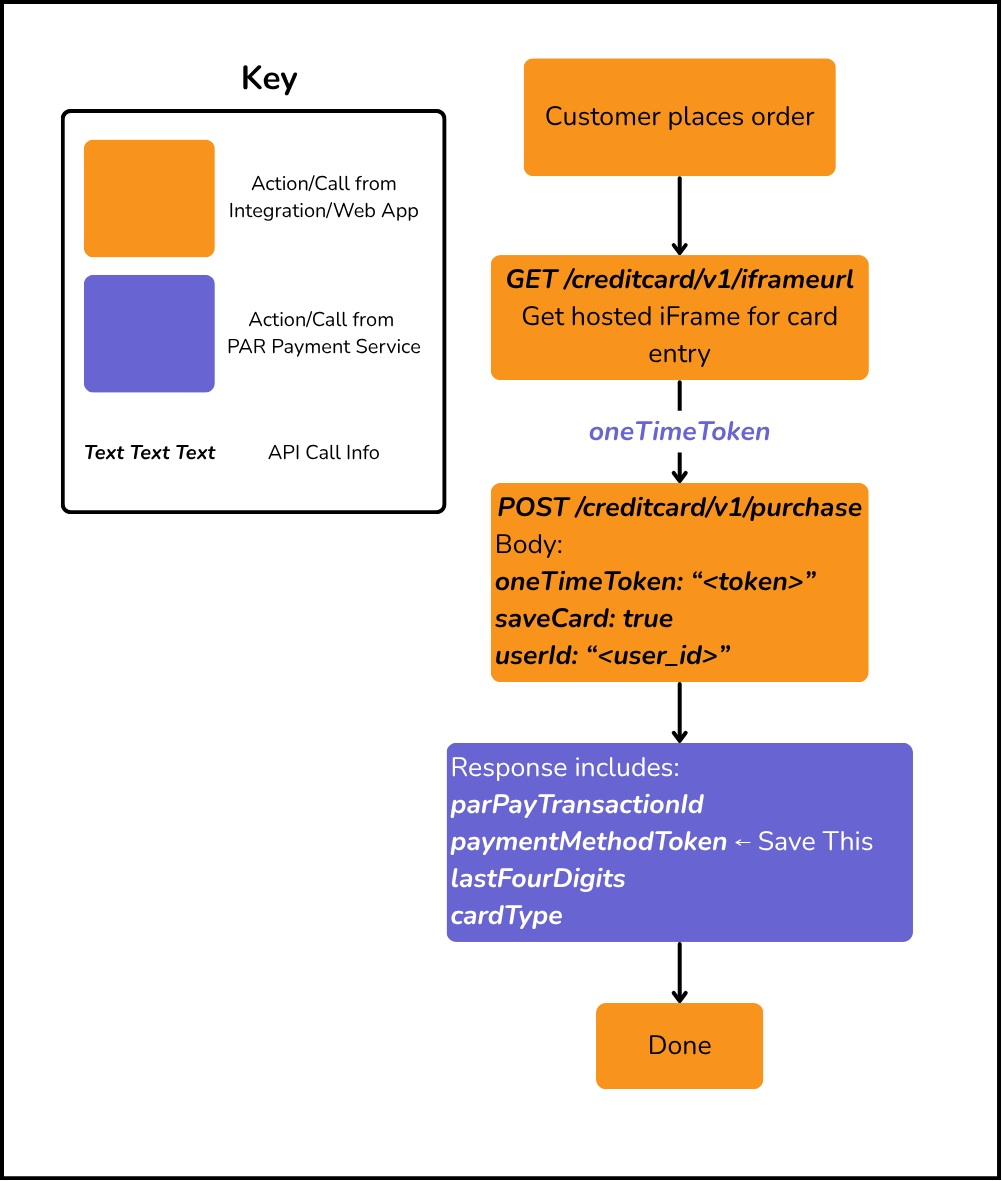
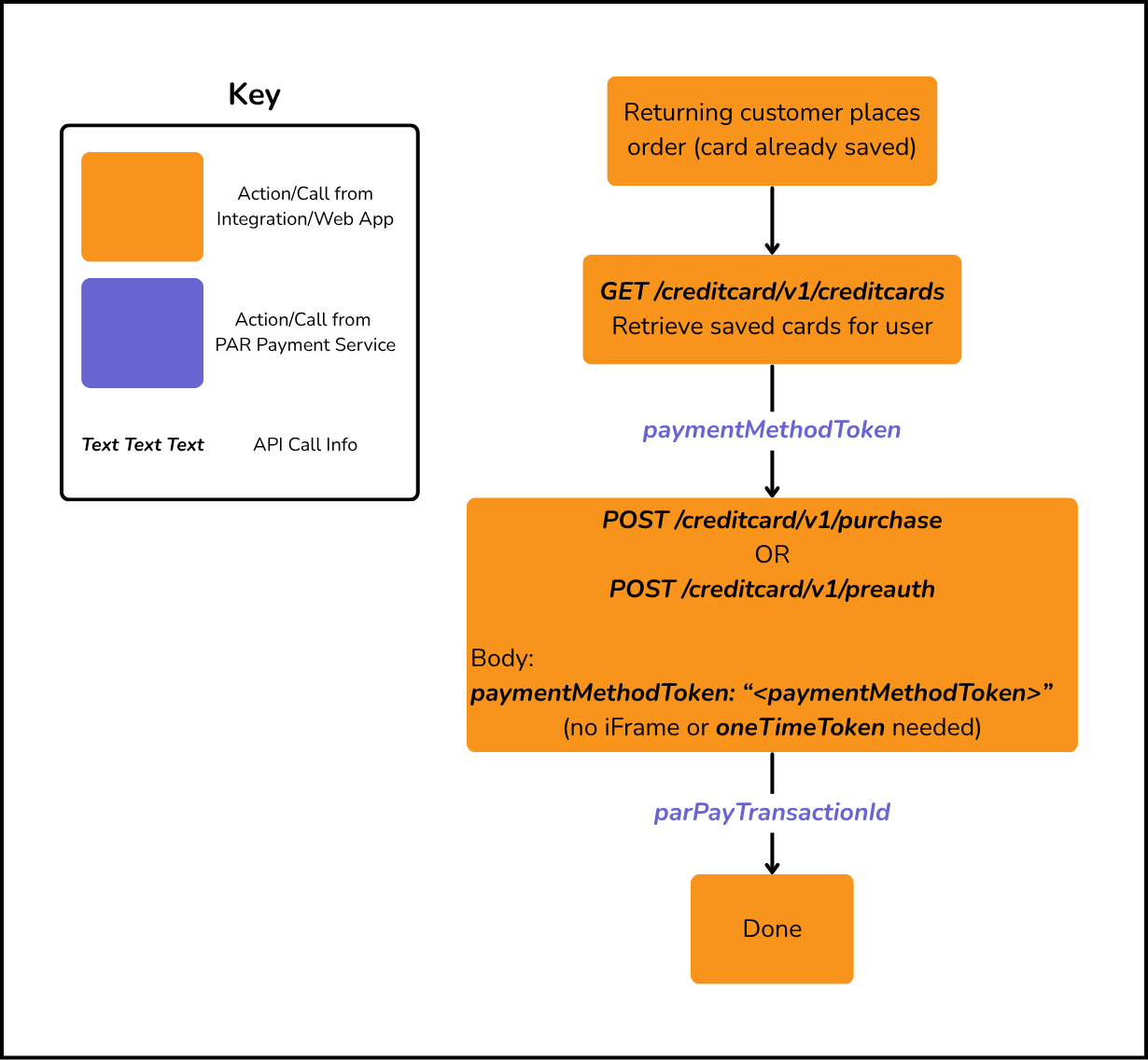
When processing a credit card transaction via Purchase or Preauthorize, you can save the card for future use by passing oneTimeToken (from the hosted iFrame) along with saveCard: true and the userId in the request body. The response will return a paymentMethodToken — a reusable token that can be passed as paymentMethodToken in subsequent purchase or preauthorize requests, eliminating the need to re-enter card details.
Save Card via Purchase
Save Card via Preauthorize
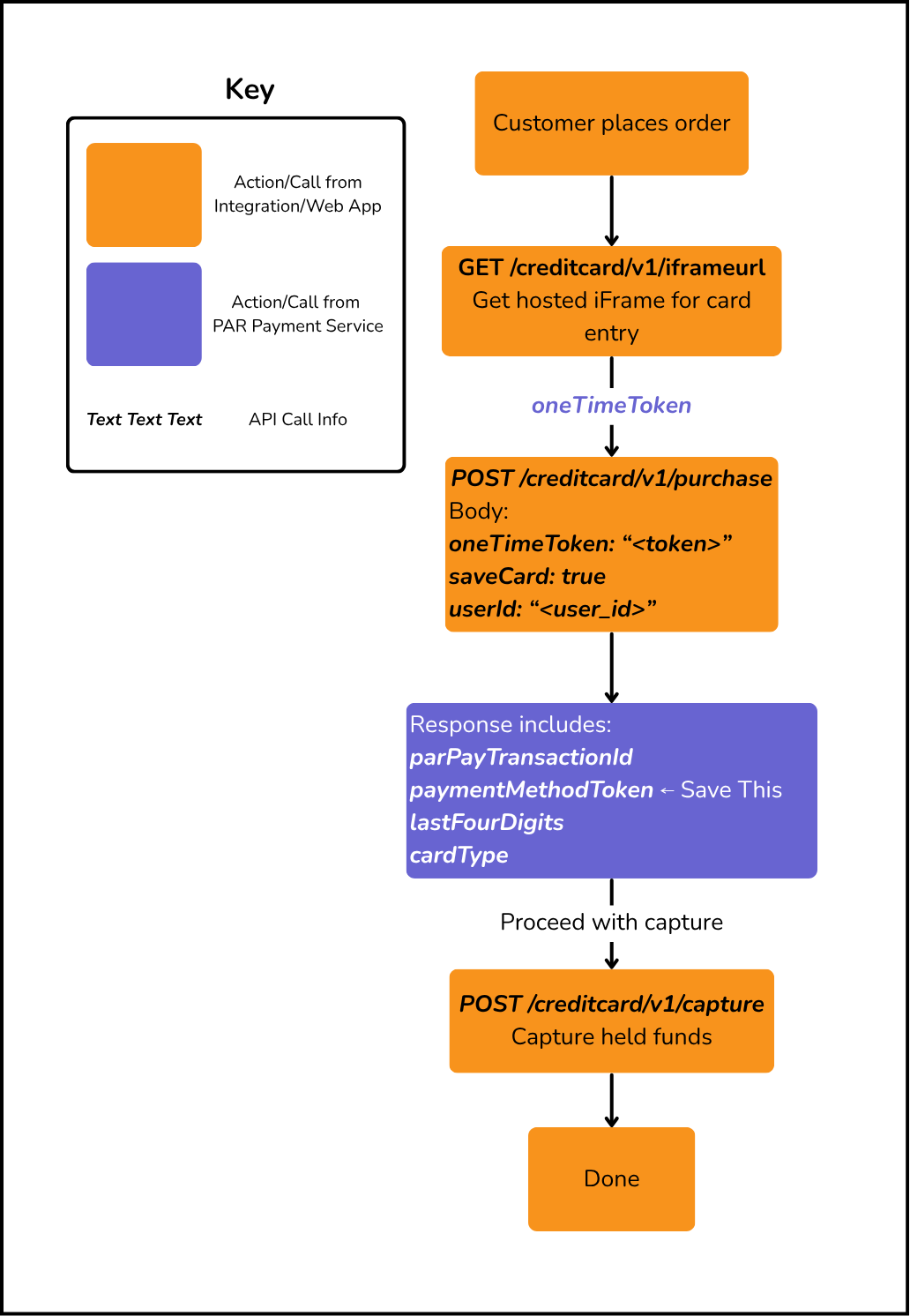
Paying with a Saved Card
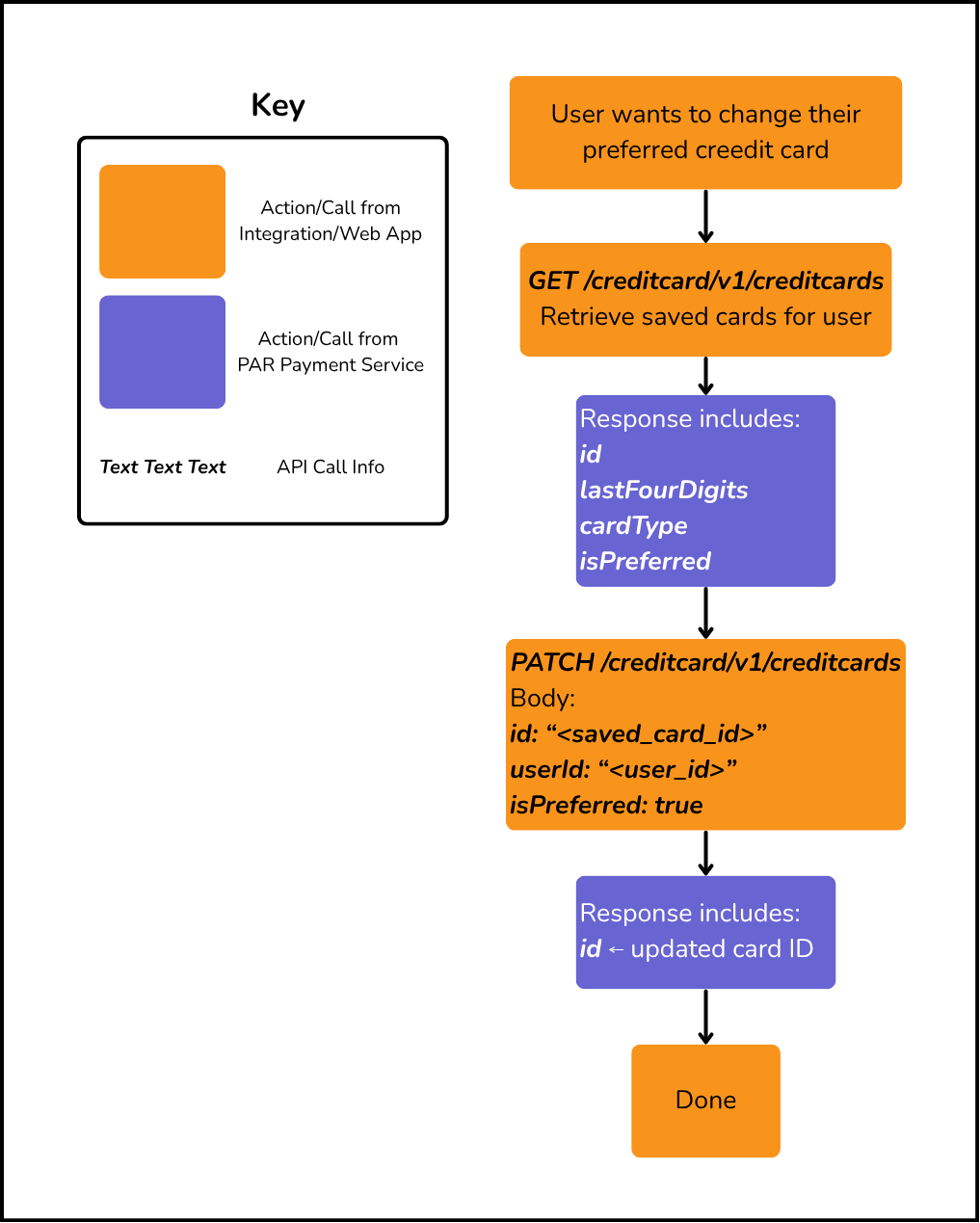
Updating Preferred Credit Card
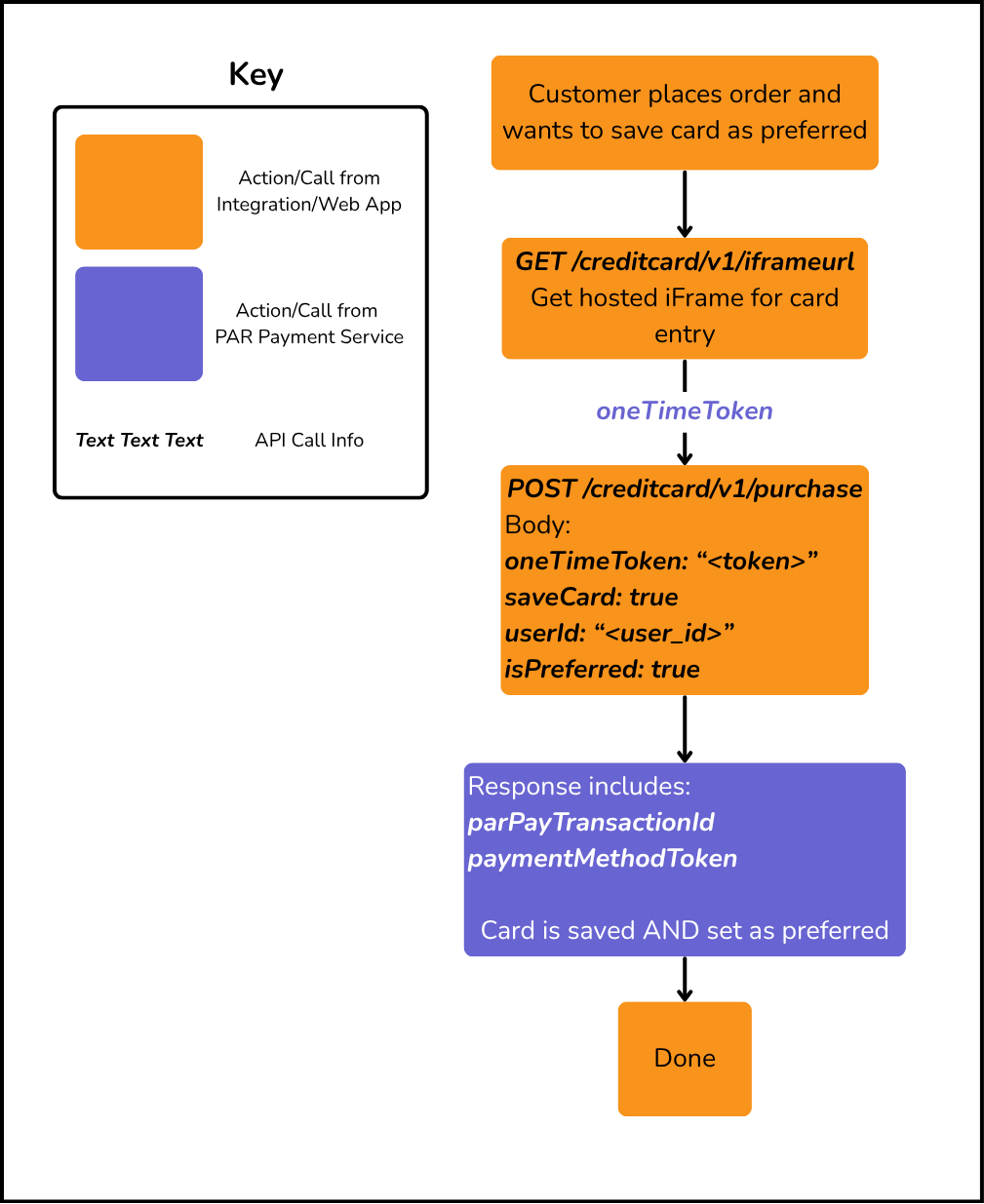
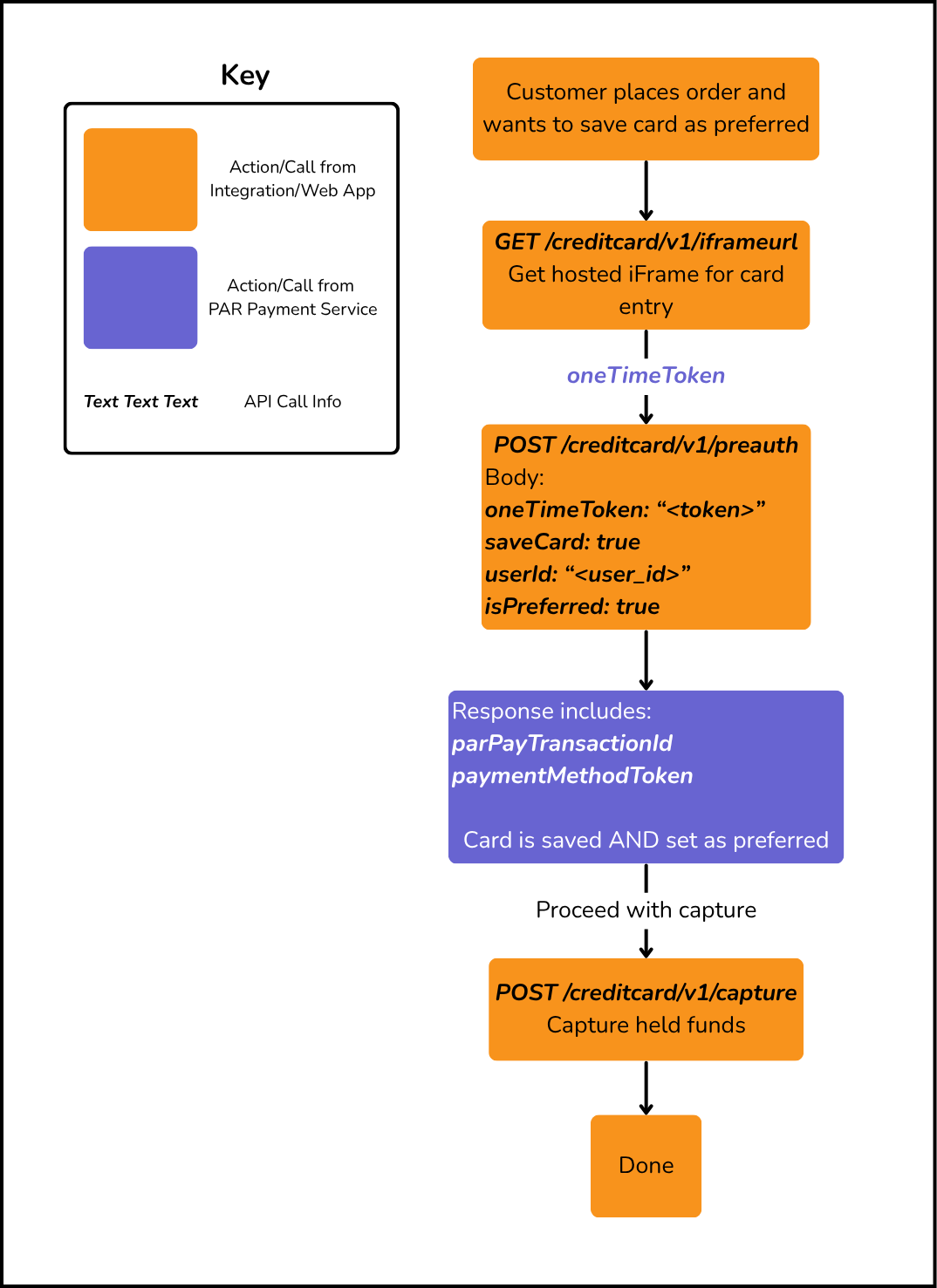
You can mark a credit card as the user's preferred payment method in three ways: by setting isPreferred: true when saving a new card during a Purchase or Preauthorize transaction, or by updating an existing saved card using PATCH /creditcard/v1/creditcards. When a card is marked as preferred, it becomes the default selection for future transactions.
Set Preferred During Purchase
Set Preferred During Preauthorize
Update Preferred on an Existing Saved Card