Typical Gift Card Flow
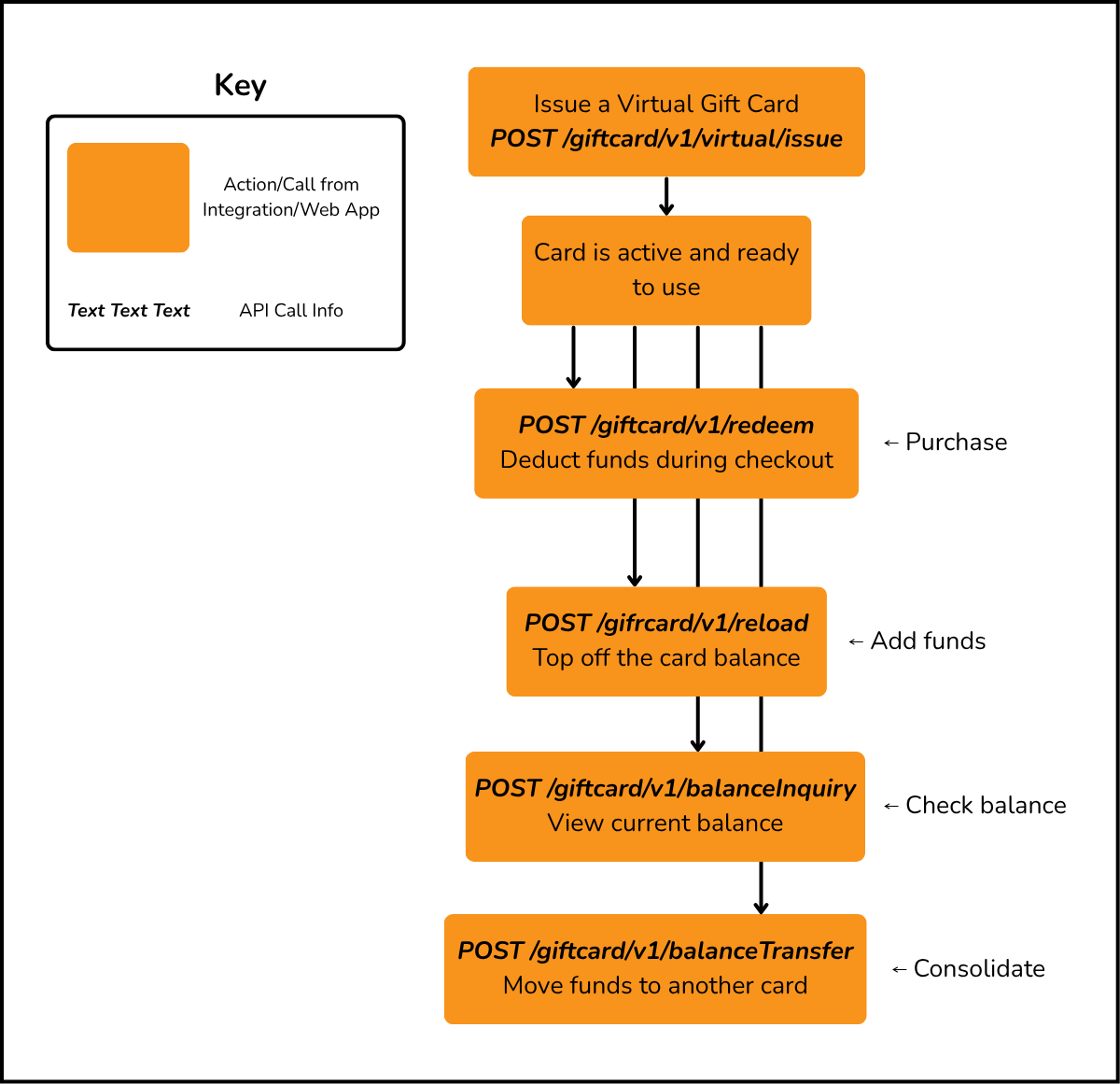
The gift card flow covers the full lifecycle of a gift card — from issuance through to redemption, reloads, balance inquiries, balance transfers, refunds, sharing, gifting, and combining. Cards can be issued as virtual/e-gift cards via POST /giftcard/v1/virtual/issue. Once activated, a card can be optionally saved to a user's account for convenient reuse.
- Issue Virtual Card — Create a virtual gift card (
POST /giftcard/v1/virtual/issue)
- Reload — Add funds to the card (
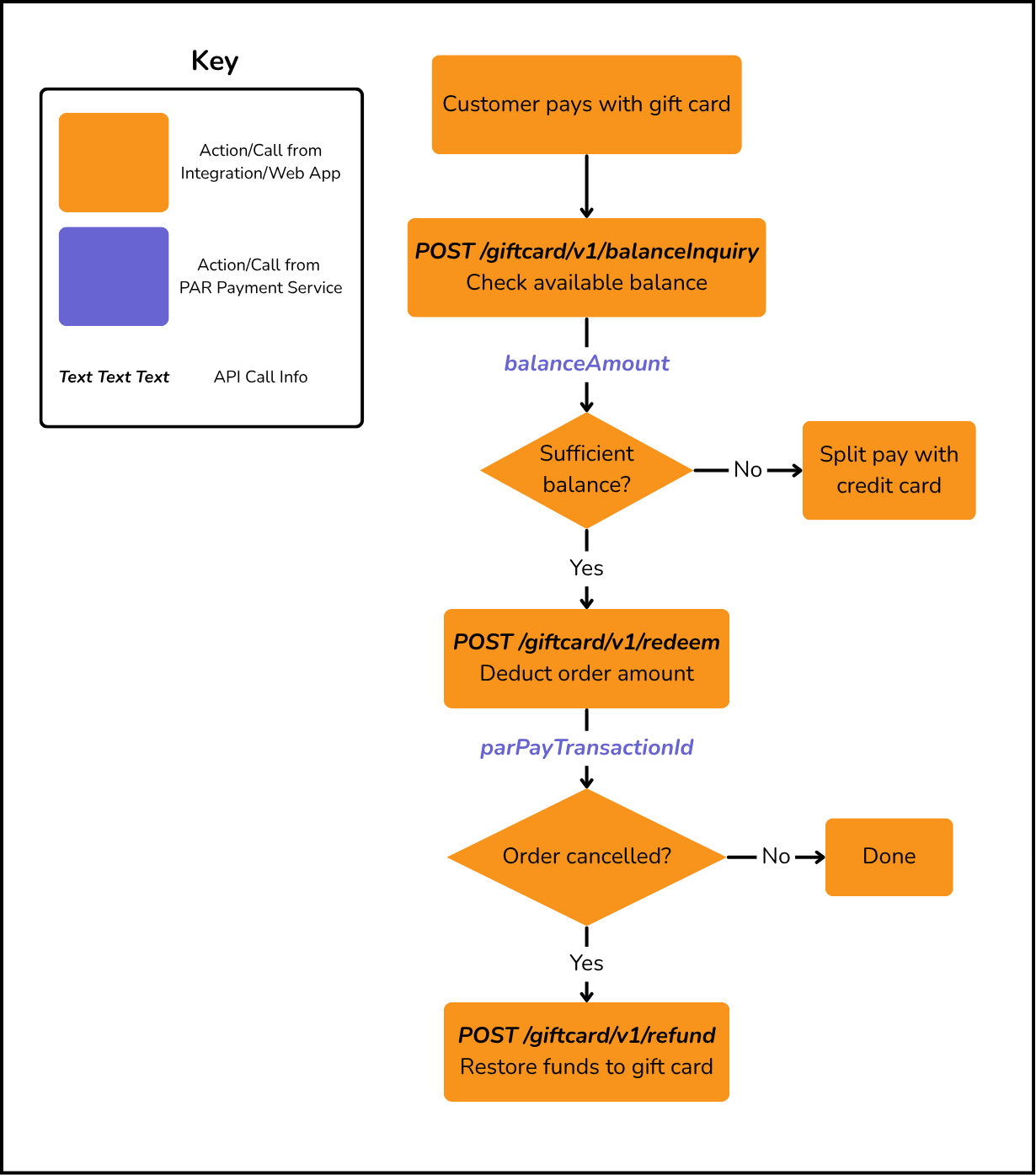
POST /giftcard/v1/reload) - Redeem — Deduct funds during a purchase (
POST /giftcard/v1/redeem) - Balance Inquiry — Check remaining balance (
POST /giftcard/v1/balanceInquiry) - Balance Transfer — Transfers the balance from an existing gift card to a newly generated gift card (
POST /giftcard/v1/balanceTransfer) - Refund — Restore funds from a cancelled transaction (
POST /giftcard/v1/refund) - Save Gift Card — Save a gift card to a user's account (
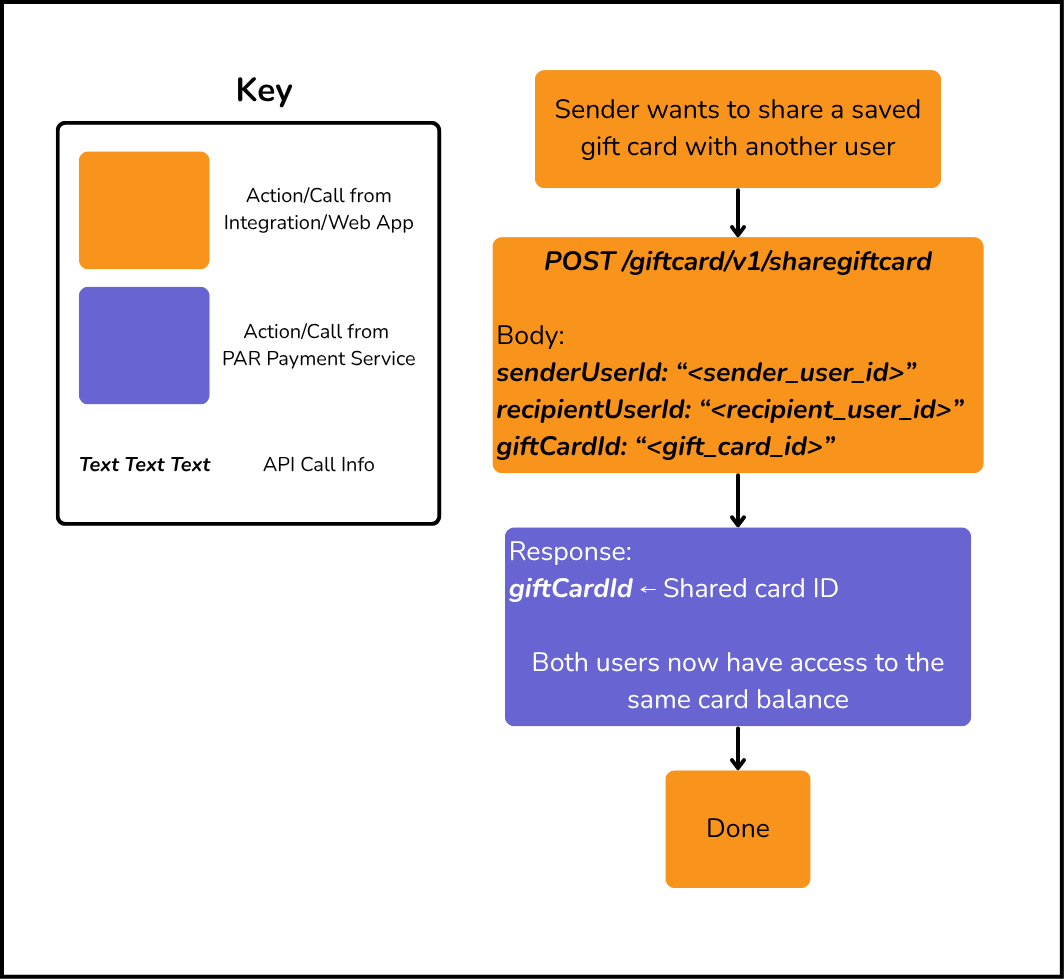
POST /giftcard/v1/savegiftcard) - Share Gift Card — Share a saved gift card with another user (
POST /giftcard/v1/sharegiftcard) - Gift a Digital Card — Gift a digital gift card to a recipient (
POST /giftcard/v1/gift) - Combine Cards — Merge multiple gift card balances into one card (
POST /giftcard/v1/combine)
Gift Card Lifecycle
Gift Card Redemption with Refund
Share Gift Card Flow
Sharing a gift card grants another user equal access to the same card balance. Both the sender and recipient can use the card for redemptions, reloads, and balance inquiries.
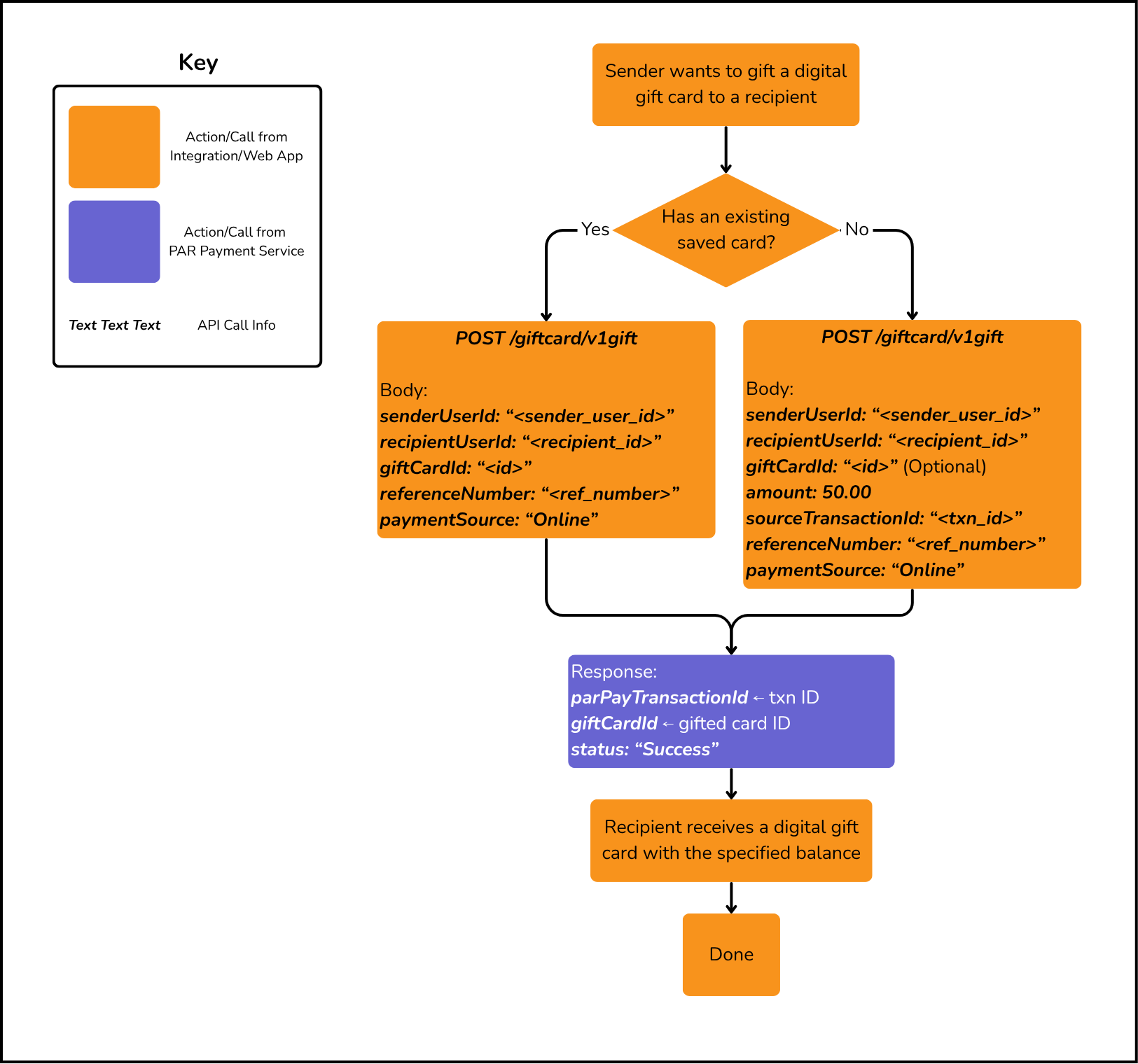
Gift a Digital Gift Card Flow
Gifting a digital gift card transfers a card (with a specified amount) to a recipient. This is a financial transaction that issues or transfers a card to another user.
This endpoint supports two modes:
- Gift a new card — When
giftCardIdis omitted, a new virtual gift card is issued and gifted to the recipient. In this mode,amountandsourceTransactionId(the credit card purchase transaction ID that funds the new card) are required. - Gift an existing saved card — When
giftCardIdis provided, the sender's existing saved card is transferred to the recipient. In this mode,amountandsourceTransactionIdare not required since the card is already funded.
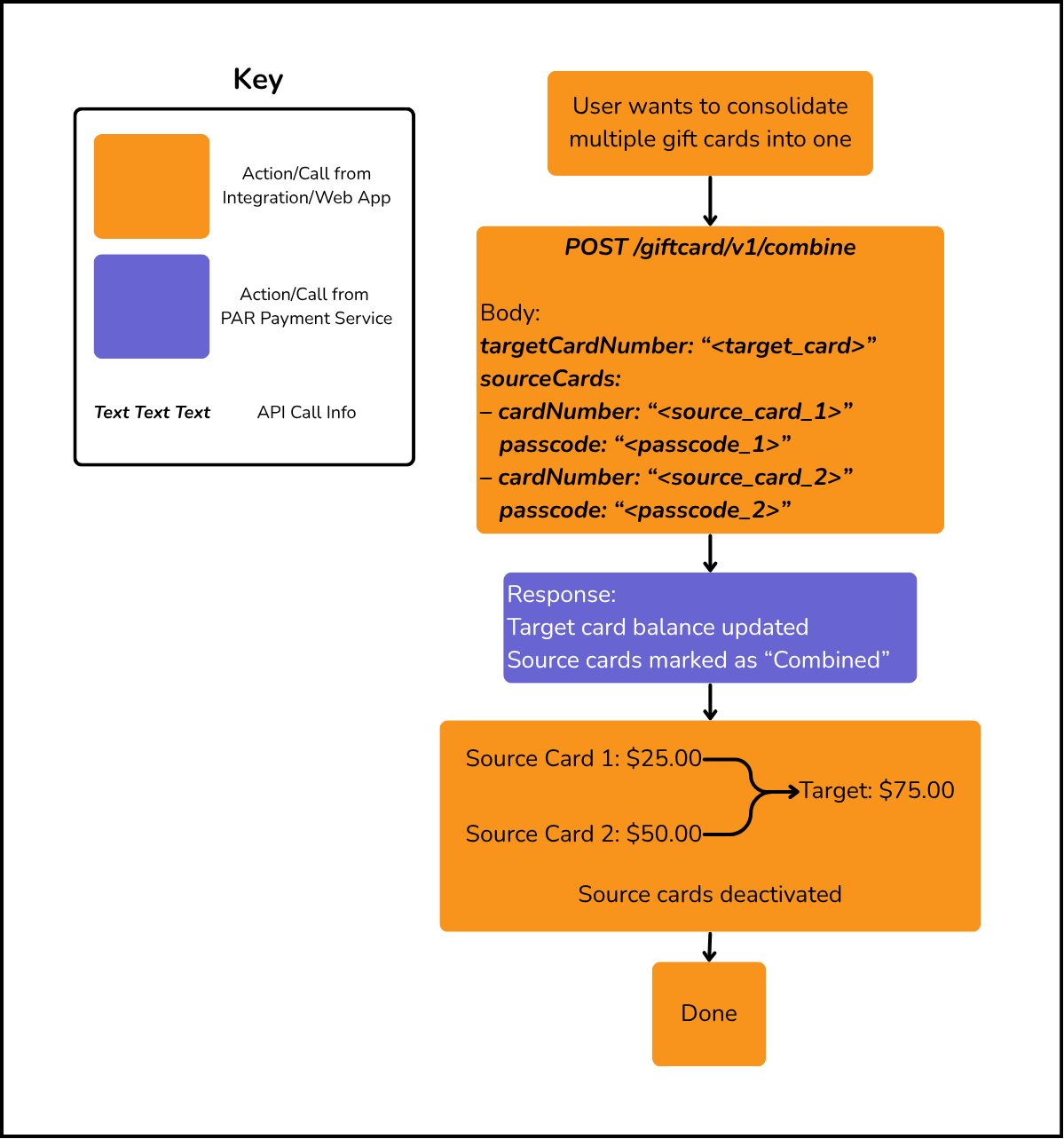
Combine Gift Cards Flow
Combining gift cards merges multiple source card balances into a single target card. Source cards are marked as "Combined" and their balances are transferred to the target.
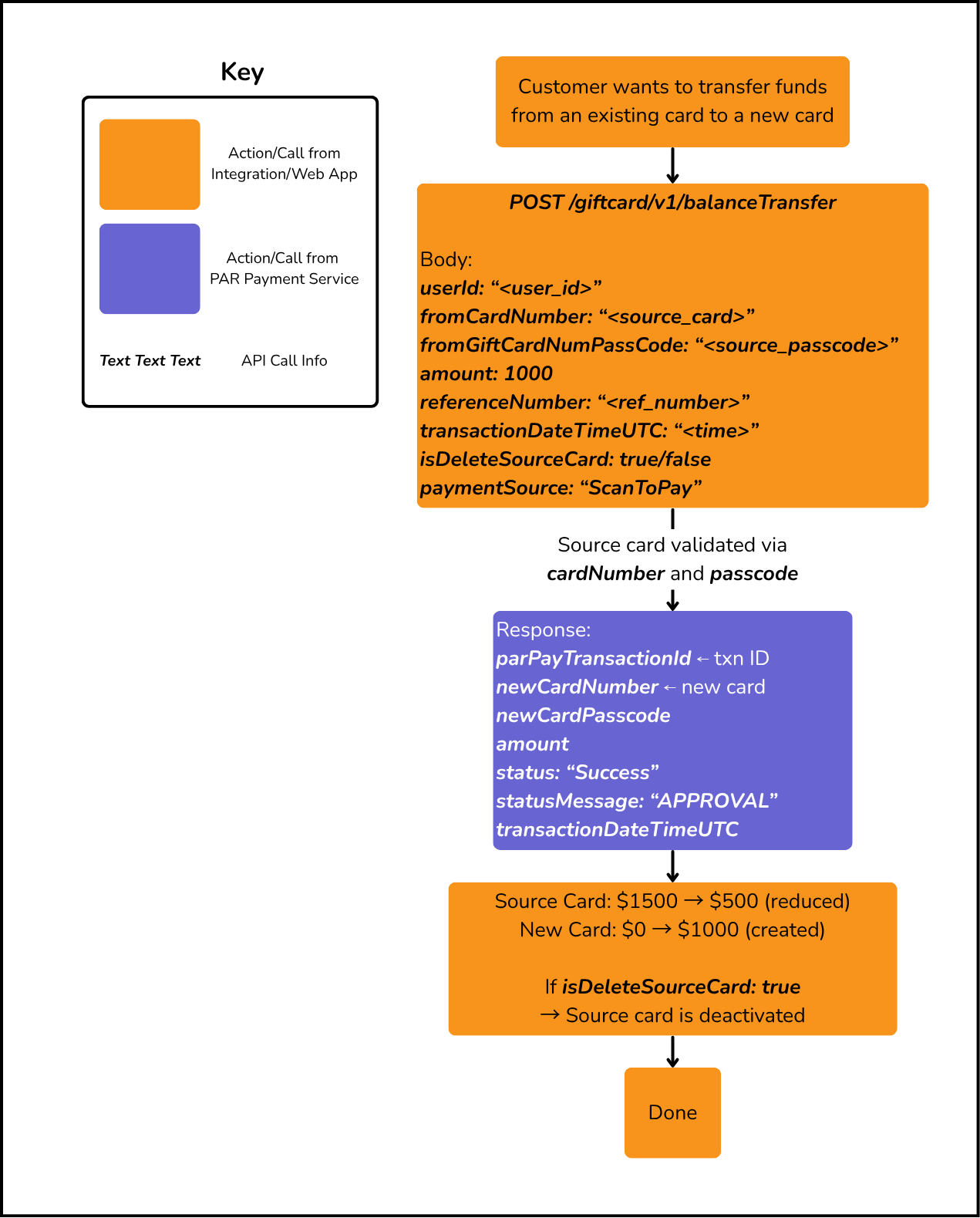
Balance Transfer Flow
Balance transfer transfers the balance from an existing gift card to a newly generated gift card. During the transfer, the source card is validated using the card number and passcode, and the specified amount is moved to the new card. Optionally, the source card can be deactivated after the transfer by enabling the isDeleteSourceCard flag. The API returns the newly created card details, transaction status, and transfer information upon successful completion.
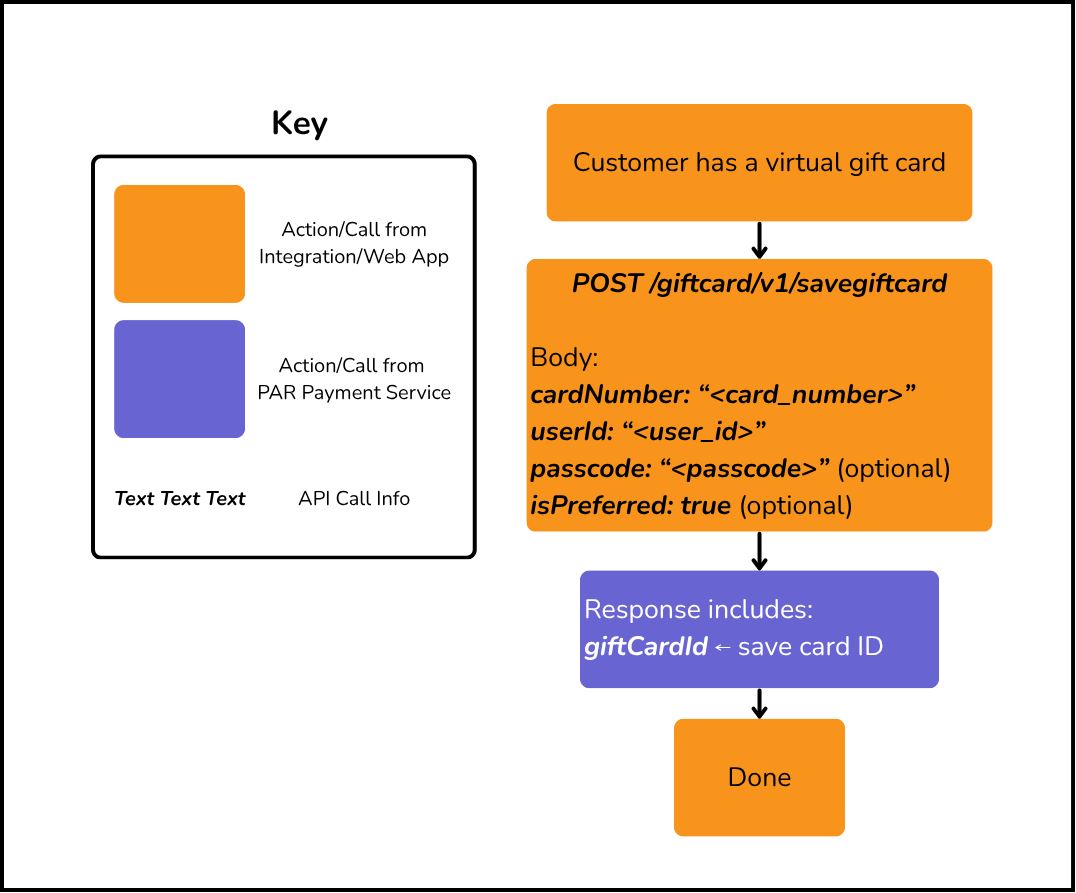
Saving a Gift Card for Future Use
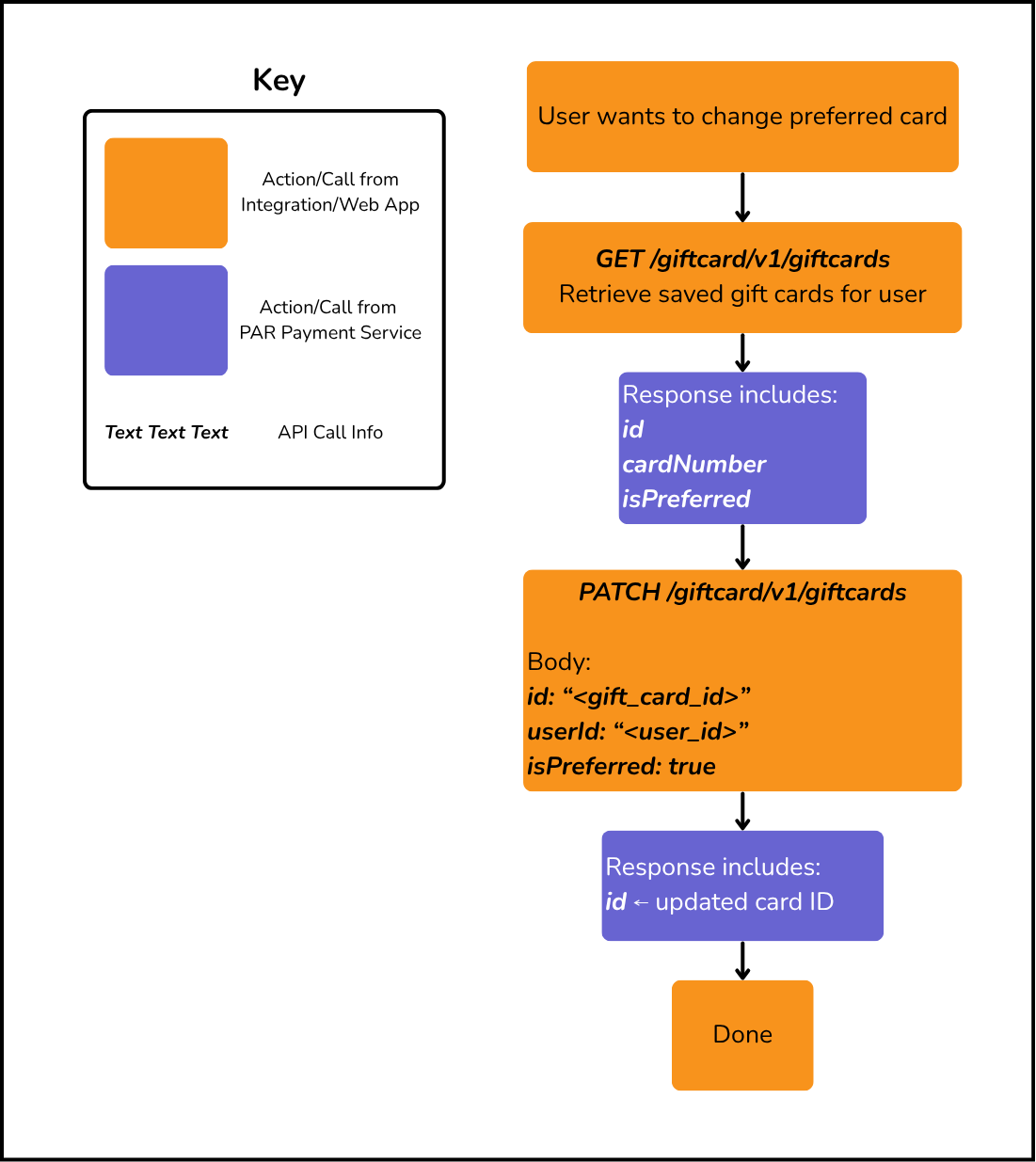
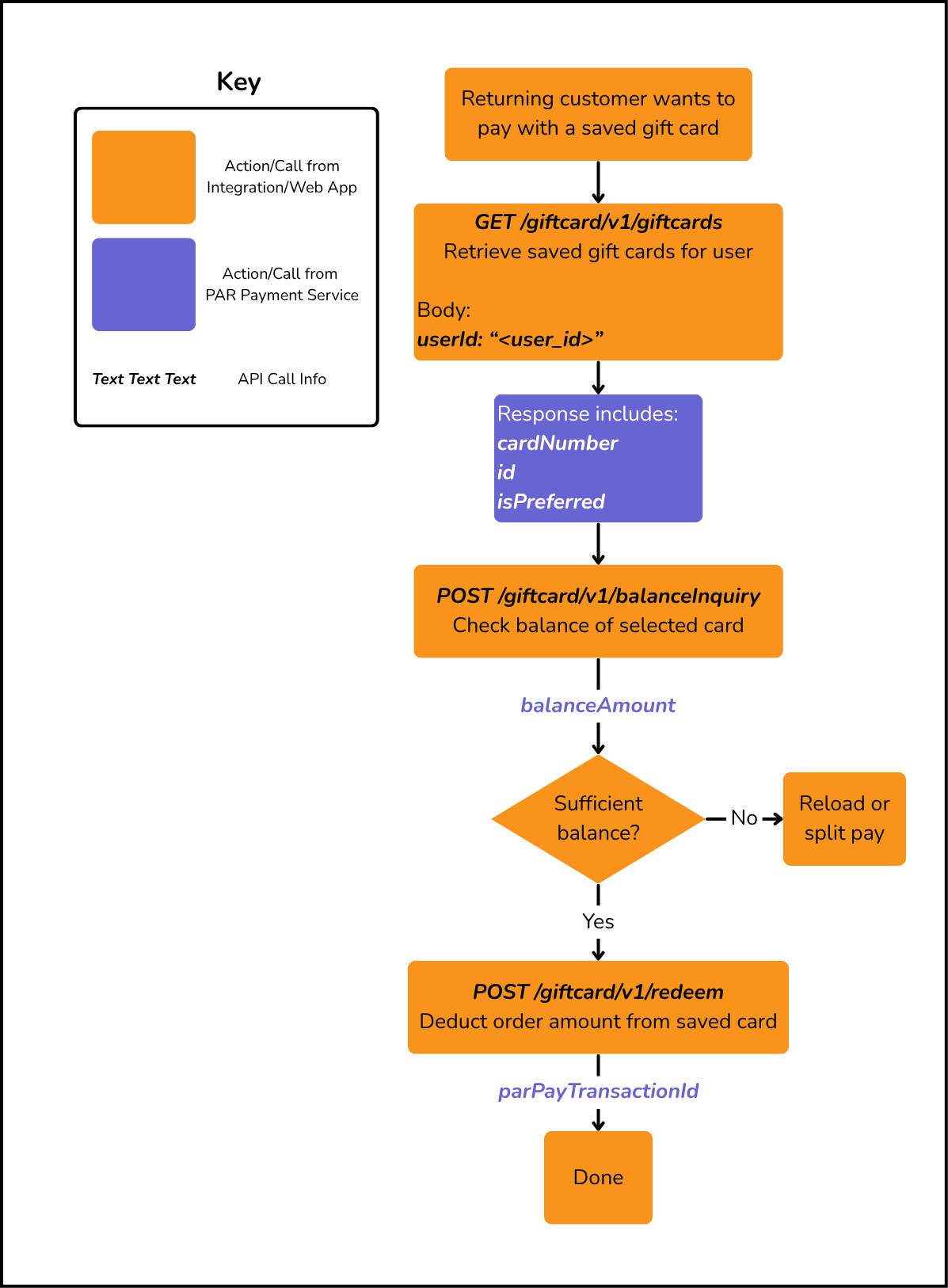
You can save a gift card to a user's account using POST /giftcard/v1/savegiftcard. Once saved, the card can be retrieved via GET /giftcard/v1/giftcards and used directly for redemptions, reloads, and balance inquiries without re-entering the card number. You can also update the preferred status of a saved card using PATCH /giftcard/v1/giftcards.
Save a Gift Card
Retrieve and Use a Saved Gift Card
Update Preferred Gift Card