Pending Points Feature Overview
In some business scenarios such as dine-in, guests get hold of a receipt before it is truly finalized. Guests may get points/visits by scanning the barcode on the receipt that is not yet complete, or there is a reasonable chance that the receipt will be updated.
The Pending Points feature enables a points-based business to approve points earned by a user by making a check-in. There are two time-based configuration settings for this feature in the Punchh platform:
- Receipt Update Delay Minutes
- Configurable POS End Of Day
Contact your Punchh representative for more information about these Punchh platform configuration settings.
Beyond the values of these configuration settings, points are automatically approved. The countdown for approval begins from the time of receipt generation for an order placed by the user. The user receives push notifications via the mobile app for both "points pending for approval" and "approved". Both parameters can be set together.
Receipt Update Delay Minutes
The Receipt Update Delay Minutes setting is the number of minutes to wait before updating a receipt with the final transaction amounts.
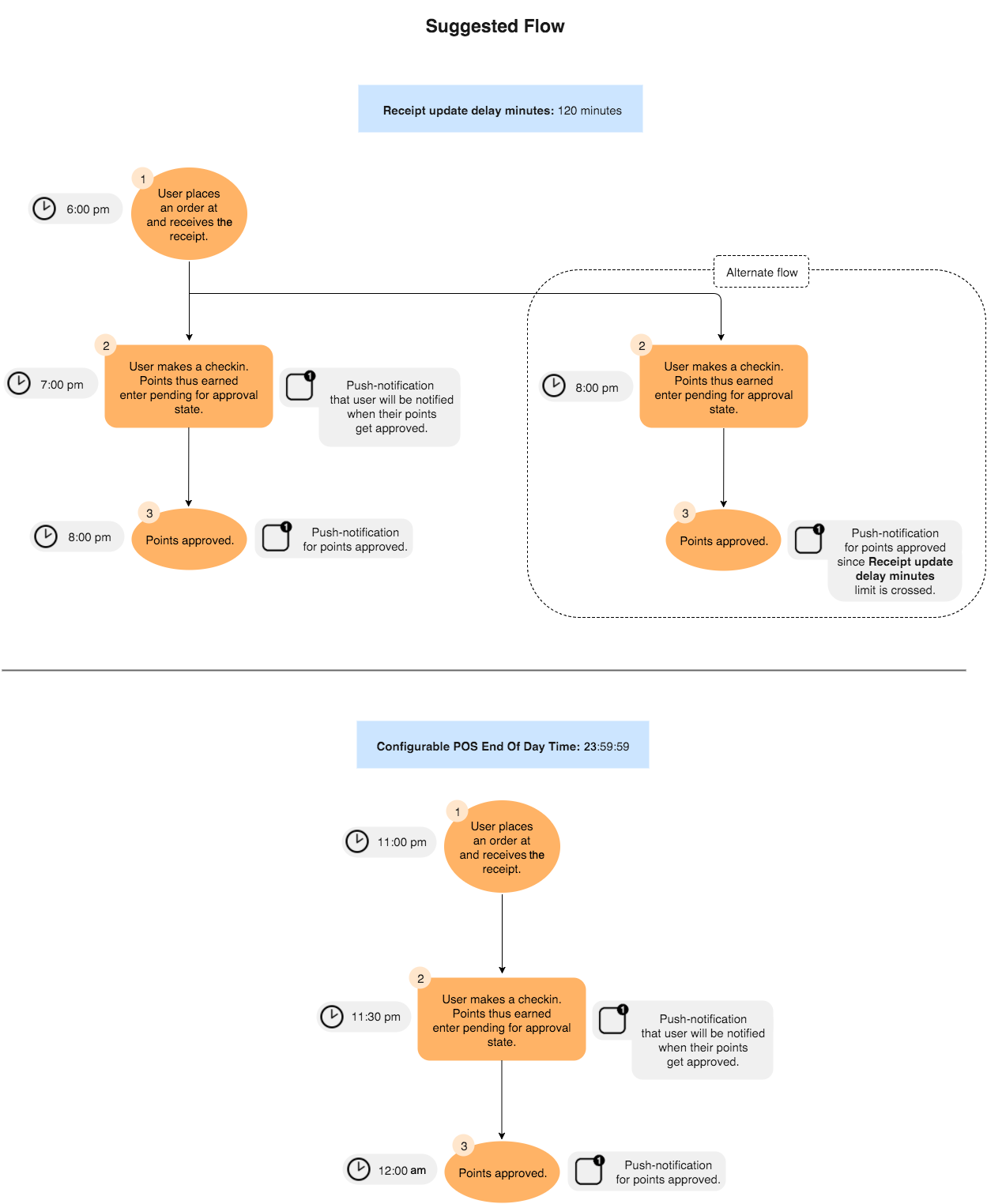
Example: Receipt Update Delay Minutes is set to 120 minutes (2 hours). The user places an order at 6:00 PM and receives a receipt for that order. The user makes a check-in at 7:00 PM and earns points that enter the "points pending for approval" state. The points get approved at 8:00 PM. If the user makes a check-in after 8:00 PM, then the points earned will get approved immediately (since the set time limit of 2 hours has already passed).
Configurable POS End Of Day
The Configurable POS End Of Day setting is the time beyond which pending points from all check-ins of the day will be automatically, finally approved. This can be any time of day, set in 24-hour format -- hour(s): minute(s): second(s).
Example: Configurable POS End Of Day is set to 23:59:59. If the user mentioned in the preceding example makes a check-in at 23:00:00, then points will be approved at 24:00:00. Had the user placed the order at 23:00:00 and made a check-in at 23:30:00, then points still would have been approved at 24:00:00.
Additional Settings
In the Punchh platform, the Pending Checkin Strategy should be set to "Automatic after a configured time delay", and Pending Checkin Channel(s) should be set to "POS".
Contact your Punchh representative to update these Punchh platform configuration settings.