Place order for Curbside
This guide shows you how to let a customer place a Curbside order — they order ahead, park outside the store, and someone brings the food out to their car. See Order Types for the full list.
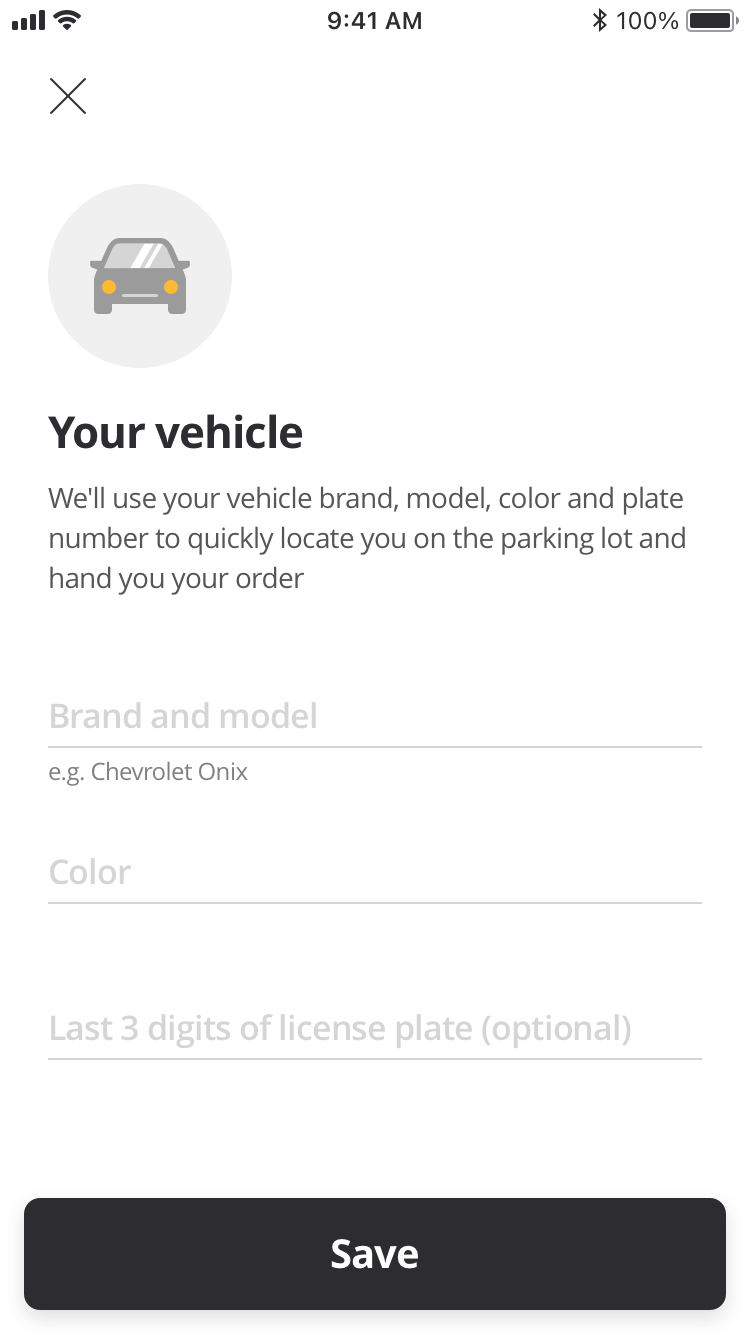
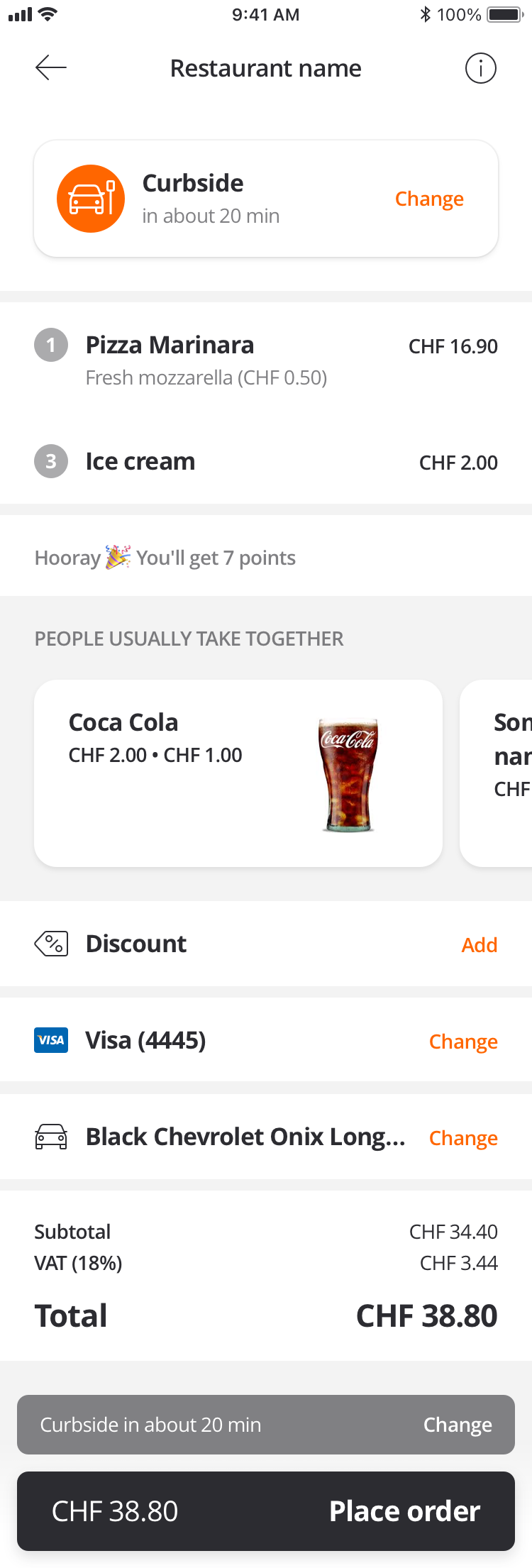
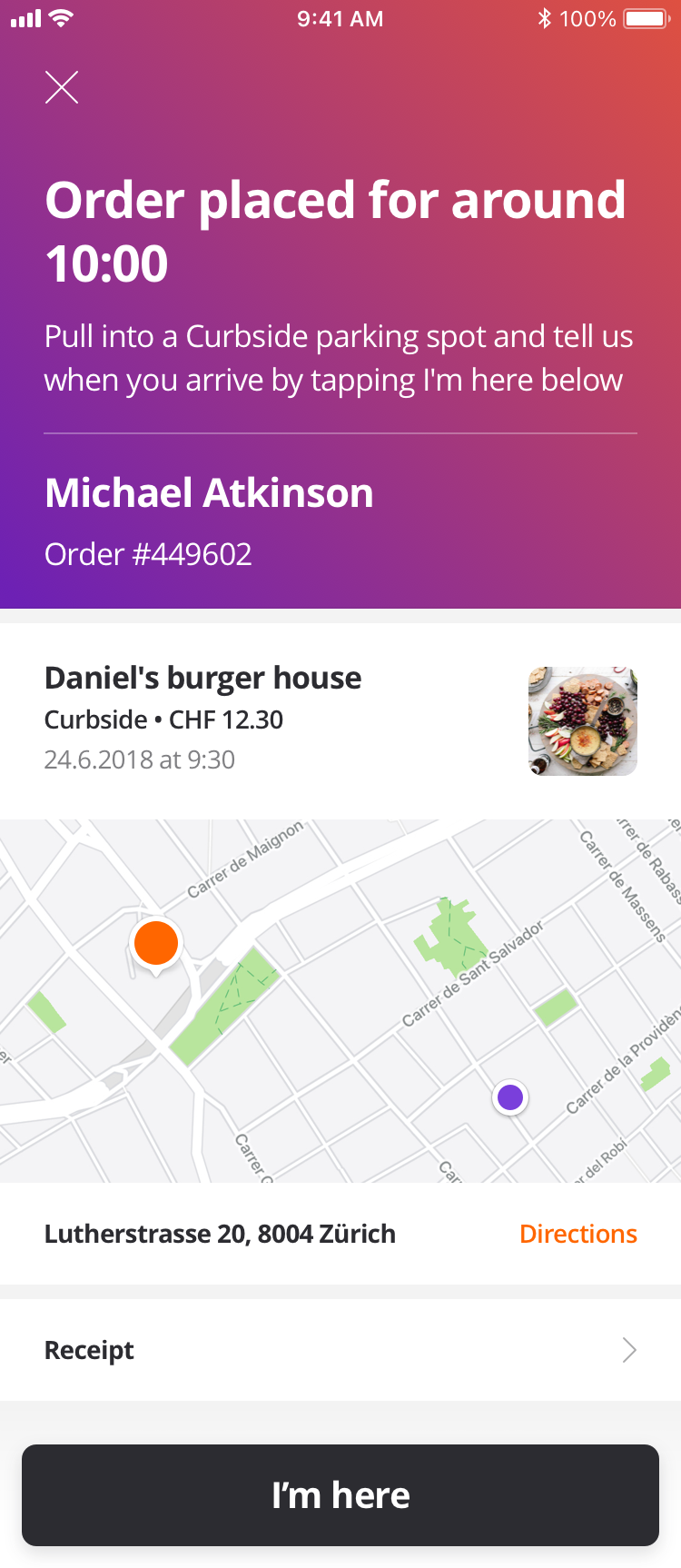
| Vehicle Details | Curbside order checkout screen | Curbside order status screen |
|---|---|---|
 |
 |
 |
Before proceeding, you should have implemented:
How the flow works
Curbside uses order type 8 and is built through the cart like the other types — Server Side Cart covers those calls. Curbside adds two things: the store needs to know which car to look for, and the customer needs to tell you when they have arrived.
Because the vehicle is saved on the customer's account, Curbside requires a signed-in customer. A guest cannot place one.
Save the customer's vehicle
The vehicle lives on the customer account, not on the cart, so create it before you build the order. If the customer has ordered curbside before, they will already have one — read their vehicles first and offer them the choice rather than asking again.
- GET Customer Accounts Vehicle to list what they have saved.
- POST Create Customer Accounts Vehicle to add one.
- The matching
PUTandDELETEoperations let them edit or remove it.
Tell the cart this is a Curbside order
Set metadata.order_type.id to 8, include the customer_account_vehicle_id of the vehicle they picked, and say when they will arrive with pickup_asap or pickup_at.
customer_account_vehicle_id is required and is an integer, not a UUID.
Request
{
  "method": "put",
  "url": "https://api-public-demo.menu.app/api/cart/{cart_id}",
  "headers": {
    "X-Request-ID": "69da3547-204b-4093-a225-54e084c24215",
    "Application": "f3a90488ffee32c3acb6fcd0ca417cf6",
    "Api-Version": "4.78.0",
    "Authorization": "Bearer {customer_token}",
    "Content-Type": "application/json"
  },
  "body": {
    "metadata": {
      "venue_id": "a9d6d0c8-1689-4114-b1ec-6da9c33f0384",
      "order_type": {
        "id": 8,
        "pickup_asap": true,
        "customer_account_vehicle_id": 4821
      }
    },
    "cart": {
      "products": [
        {
          "price_id": "9a4e25be-9c32-4b69-81b7-19a4f3595406",
          "quantity": 1,
          "comment": "",
          "product_groups": []
        }
      ],
      "discounts": [],
      "tip": {
        "amount": 0,
        "type": 1
      }
    }
  }
}
Pickup times come from Orders Filtered Pickup Times, the same as Takeout. It takes a nested order_type.id and a singular_point_id rather than a venue_id — see Choosing a pickup or delivery time.
Check out, pay and place the order
Common to all order types — see Server Side Cart.
Tell the store the customer has arrived
This is the part that is unique to Curbside. When the customer pulls into the car park, call POST Order customer arrived so staff know to bring the order out. Nothing is sent in the body — the order ID in the URL is enough.
Give the customer an obvious way to trigger this, typically a single button on the order status screen, and keep it available until the order reaches Final.
What can go wrong
The vehicle is missing. Orders are rejected if customer_account_vehicle_id is absent, so make sure the customer has selected a vehicle before checkout rather than discovering it at order creation.
The pickup time is no longer available — HTTP 400, code 2001. Re-fetch the times and let them choose again.
Curbside is not enabled for the store — code 2025. Not every store offers it, so check the venue's order_types before showing the option.
Follow the order with order status webhooks.