Place order for Dine-in (QS) or Takeout
This guide shows you how to let a customer place a Dine-in (QS) or Takeout order. They are covered together because the flow is identical — the only difference is the order type you put on the cart: 4 for Dine-in (QS), where the customer eats in a counter-service venue, and 6 for Takeout, where they collect and leave. See Order Types for the full list.
| Menu Screen with Pickup Time selected | Pickup Time Configuration with ASAP selected | Order Summary with Cross-Selling |
|---|---|---|
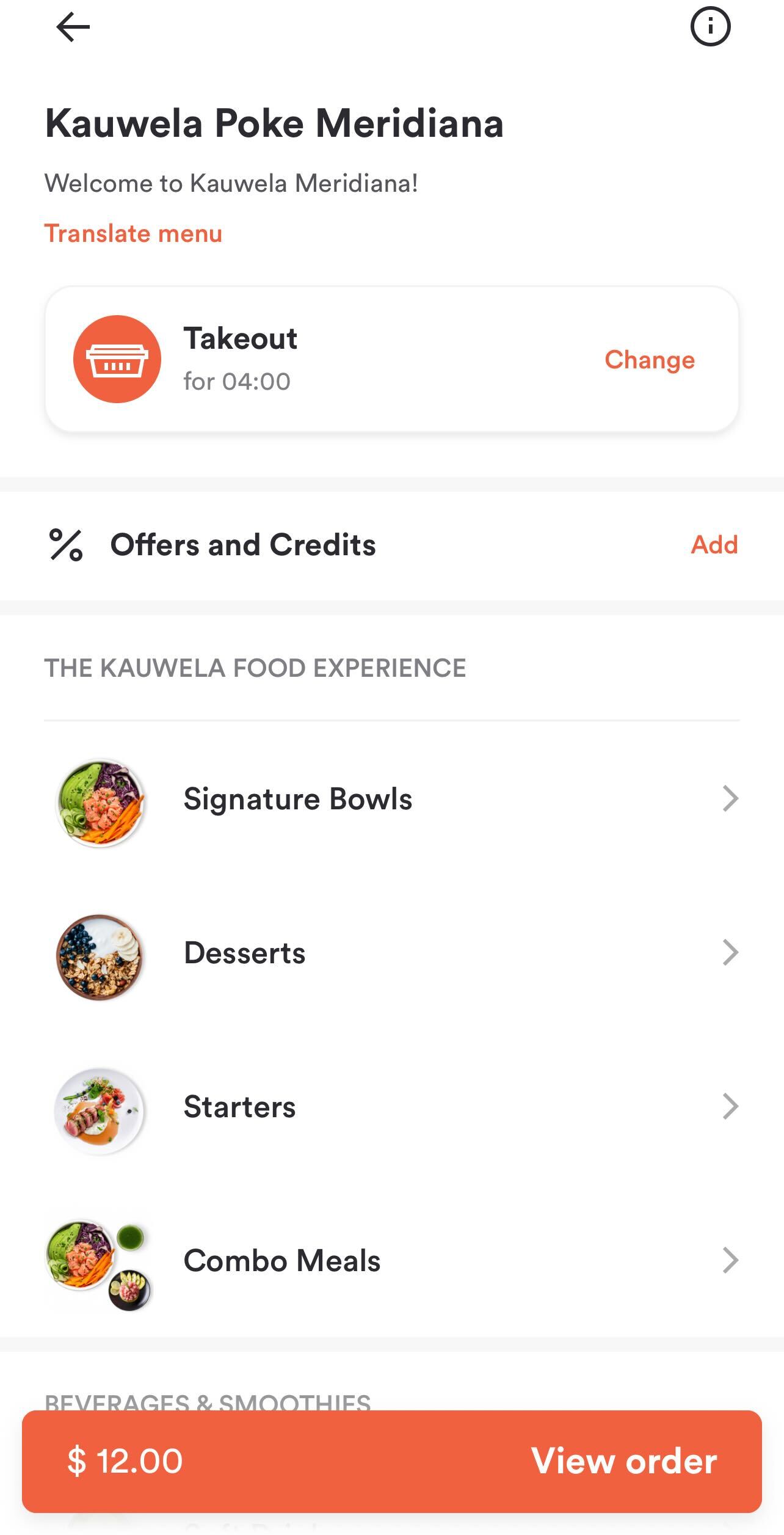 |
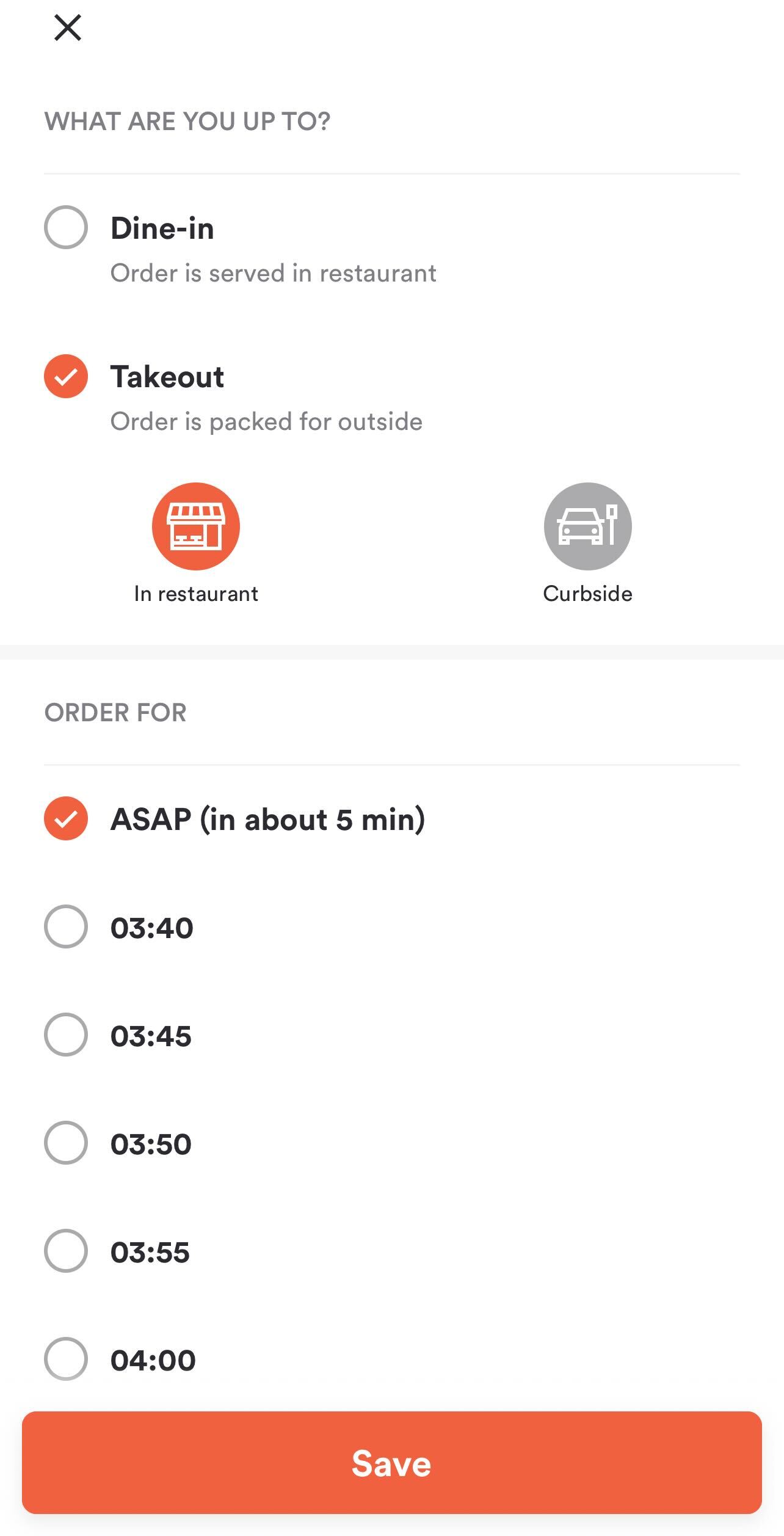 |
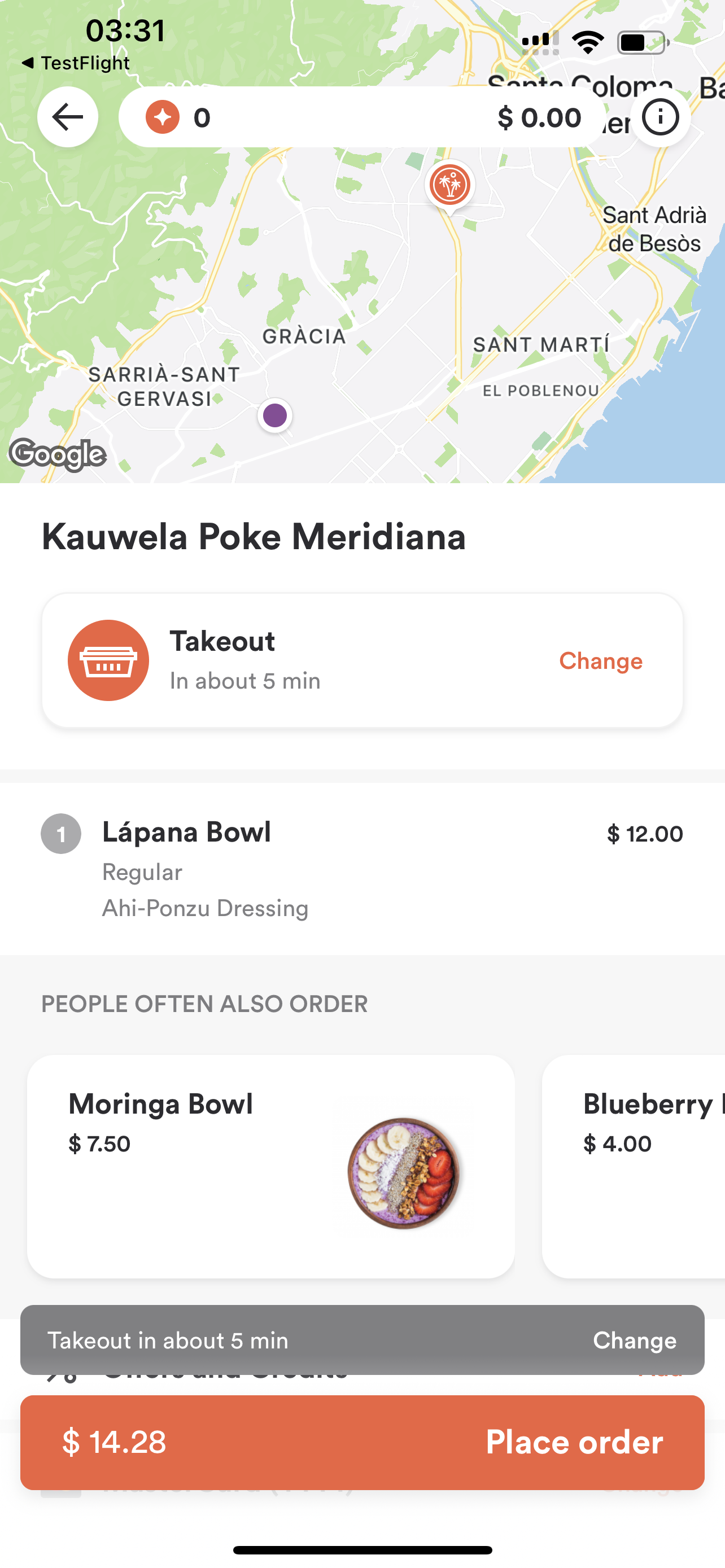 |
Before proceeding, you should have implemented:
How the flow works
Orders are built and placed through the cart. You create a cart, tell it which store and order type you are ordering for, add the customer's items, check out, take payment, and place the order. Server Side Cart documents each of those calls in detail, and it is worth reading first — this page only covers what is specific to Dine-in (QS) and Takeout.
You do not need a singular point, and there is no separate order-calculation call. The cart carries the store on metadata.venue_id, and every update returns the cart fully priced.
Tell the cart this is a Dine-in (QS) or Takeout order
Set the order type and the pickup time on metadata.order_type when you update the cart. The customer either wants their food as soon as possible, or at a particular time:
pickup_asap: truefor as soon as possible.pickup_at: "2026-09-19 12:30:00"for a specific time, formattedY-m-d H:i:sin the venue's timezone.
Send one or the other. If you send pickup_at, leave pickup_asap out or set it to false.
Request
{
  "method": "put",
  "url": "https://api-public-demo.menu.app/api/cart/{cart_id}",
  "headers": {
    "X-Request-ID": "69da3547-204b-4093-a225-54e084c24215",
    "Application": "f3a90488ffee32c3acb6fcd0ca417cf6",
    "Api-Version": "4.78.0",
    "Content-Type": "application/json"
  },
  "body": {
    "metadata": {
      "venue_id": "a9d6d0c8-1689-4114-b1ec-6da9c33f0384",
      "order_type": {
        "id": 6,
        "pickup_asap": false,
        "pickup_at": "2026-09-19 12:30:00"
      }
    },
    "cart": {
      "products": [
        {
          "price_id": "9a4e25be-9c32-4b69-81b7-19a4f3595406",
          "quantity": 1,
          "comment": "",
          "product_groups": []
        }
      ],
      "discounts": [],
      "tip": {
        "amount": 0,
        "type": 1
      }
    }
  }
}
Use 4 instead of 6 for Dine-in (QS). Everything else is the same.
Offer the customer a pickup time
Do not let the customer type a time. Ask us which slots the store can actually honor, and present those — it accounts for opening hours, preparation time and how busy the kitchen already is.
Orders Filtered Pickup Times returns the available slots. It takes the cart into account and tells you when a slot is fully booked, so you can grey it out rather than letting the customer pick something that will be rejected. It takes a nested order_type.id and a singular_point_id rather than a venue_id — see Choosing a pickup or delivery time.
Note that these endpoints identify the store with a singular_point_id, not a venue_id — read it from the venue's areas, as described in Choosing a pickup or delivery time.
Fetch the times close to when the customer chooses, not when they open the menu. Slots fill up, and a time that was free ten minutes ago may not be by checkout. Do not assume pickup_asap always works either — outside serving hours it is rejected at checkout just like a stale time.
Check out, pay and place the order
From here the flow is the same for every order type, and Server Side Cart covers it: check out to re-price against the POS, initialize payment to get a payment_init_hash, then create the order with that hash.
What can go wrong
The pickup time is no longer available. Checkout returns HTTP 400 with code 2001 and the rejected time in info_message.title. This is the most common failure on this flow. Re-fetch the pickup times, ask the customer to choose again, update the cart and check out once more.
Ordering is switched off for the store. code 2003. The store has paused online ordering, so no time will work — tell the customer to try later or pick another store.
The order type is not enabled for the store. code 2025. Check the store's order_types before offering the option; a venue that supports Takeout does not necessarily support Dine-in (QS).
Once the order exists, follow it with order status webhooks rather than polling. Order Statuses lists the values you will receive.